Welcome to AI Dev Tasks! This repository provides a collection of .mdc (Markdown Command) files designed to supercharge your feature development workflow within the Cursor editor. By leveraging these commands with Cursor's AI Agent, you can systematically approach building features, from ideation to implementation, with built-in checkpoints for verification.
Stop wrestling with monolithic AI requests and start guiding your AI collaborator step-by-step!
Building complex features with AI can sometimes feel like a black box. This workflow aims to bring structure, clarity, and control to the process by:
- Defining Scope: Clearly outlining what needs to be built with a Product Requirement Document (PRD).
- Technical Planning: Detailing how the feature will be architected and implemented with a Technical Design Document (TDD).
- Detailed Task Breakdown: Breaking down the requirements and technical design into a granular, actionable task list.
- Iterative Implementation: Guiding the AI to tackle one task at a time, allowing you to review and approve each change.
This structured approach helps ensure the AI stays on track, makes it easier to debug issues, and gives you confidence in the generated code.
Here's the step-by-step process using the .mdc files in this repository:
First, lay out the blueprint for your feature. A PRD clarifies what you're building, for whom, and why.
You can create a lightweight PRD directly within Cursor:
-
Ensure you have the
create-prd.mdcfile from this repository accessible. -
In Cursor's Agent chat, initiate PRD creation:
Use @create-prd.mdc
Here's the feature I want to build: [Describe your feature in detail]
Reference these files to help you: [Optional: @file1.py @file2.ts]
(Pro Tip: For complex PRDs, using MAX mode in Cursor is highly recommended if your budget allows for more comprehensive generation.)
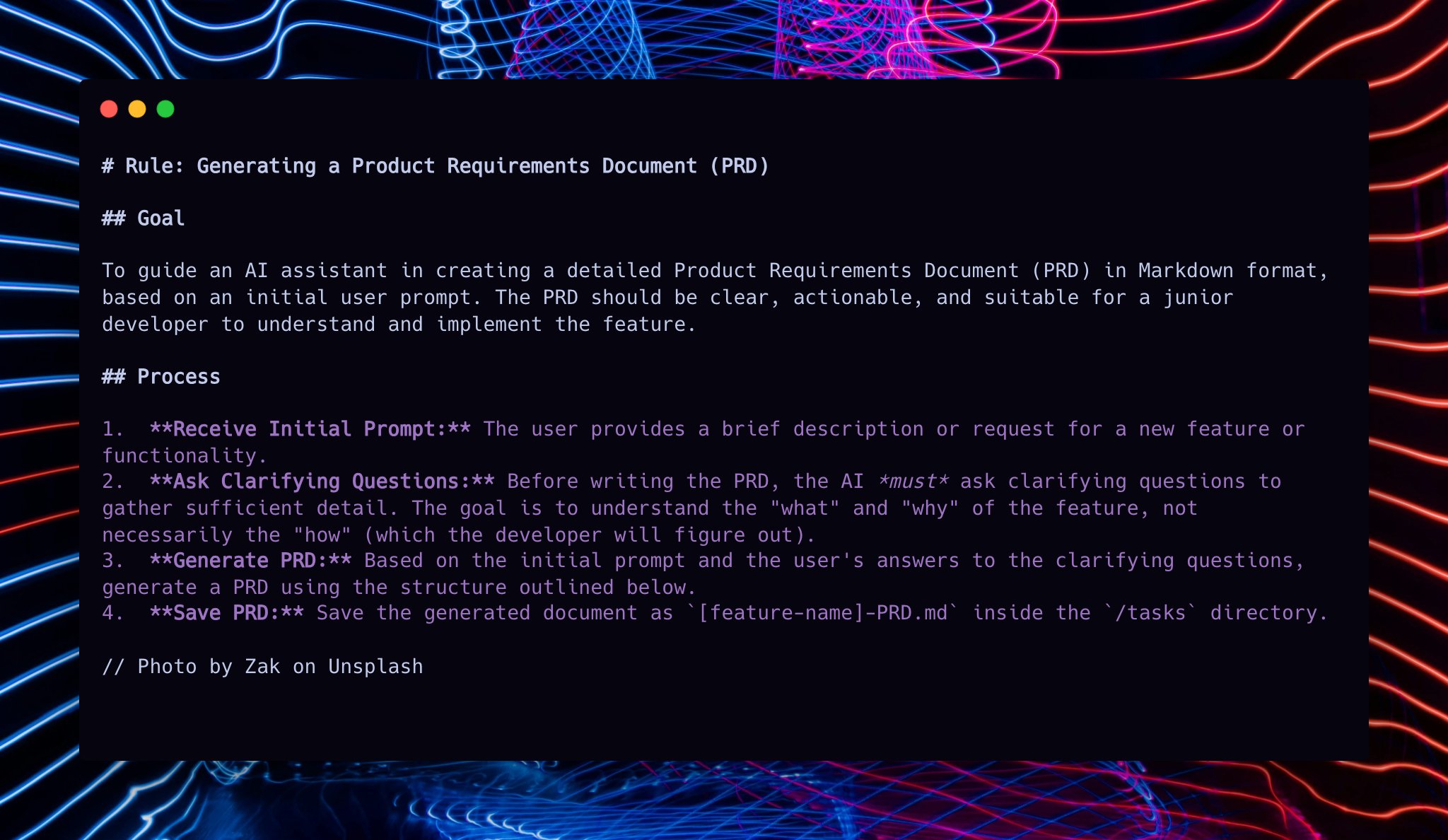
With your PRD drafted (e.g., MyFeature-PRD.md), the next step is to outline the technical approach. The TDD details how the feature will be built.
-
Ensure you have
create-tdd.mdc(the new file!) accessible. -
In Cursor's Agent chat, use the PRD to create the TDD:
Use @create-tdd.mdc
Based on @MyFeature-PRD.md, please create a Technical Design Document.
(Note: Replace
@MyFeature-PRD.mdwith the actual filename of the PRD you generated in step 1.) The AI will analyze the PRD and may ask clarifying technical questions before generating the TDD (e.g.,tdd-MyFeature-PRD.md).
With your PRD and TDD in hand, the next step is to generate a detailed, step-by-step implementation plan.
-
Ensure you have
generate-tasks-from-prd.mdcaccessible. -
In Cursor's Agent chat, use the PRD and TDD to create tasks:
Now take @MyFeature-PRD.md and create tasks using @generate-tasks-from-prd.mdc.
Ensure these tasks align with the technical approach outlined in @tdd-MyFeature-PRD.md.
(Note: Replace
@MyFeature-PRD.mdand@tdd-MyFeature-PRD.mdwith your actual filenames.)
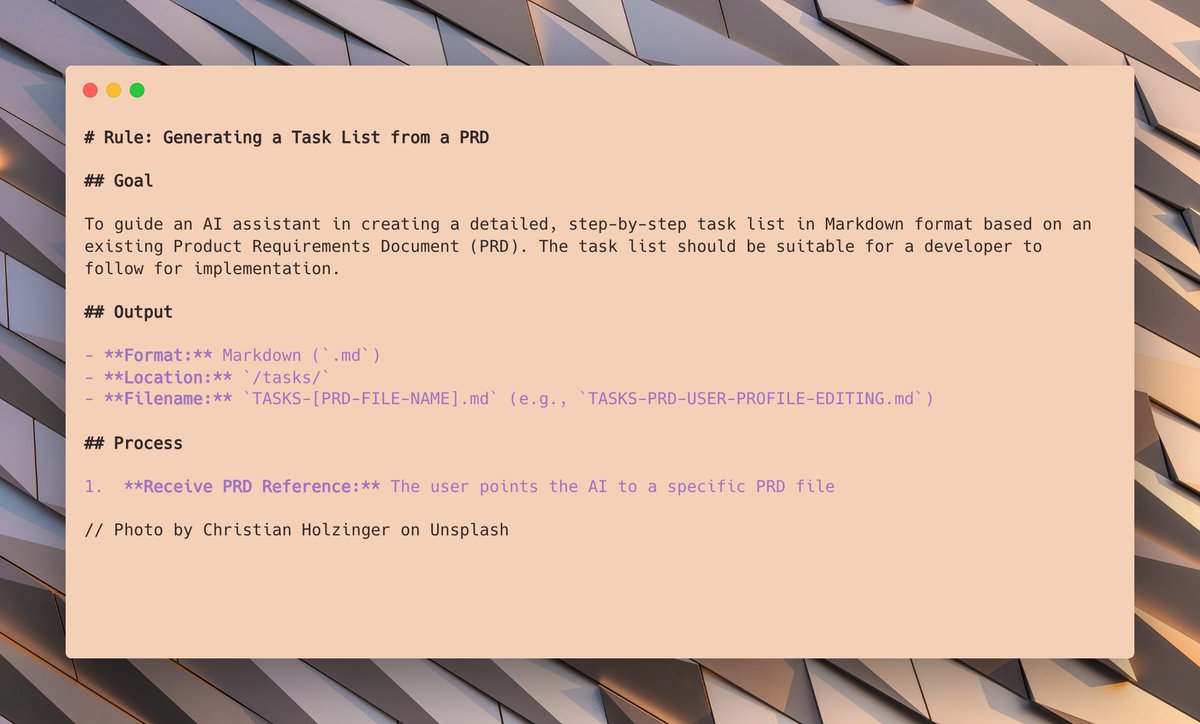
You'll now have a well-structured task list, often with tasks and sub-tasks, ready for the AI to start working on. This provides a clear roadmap for implementation, informed by both product requirements and technical design.
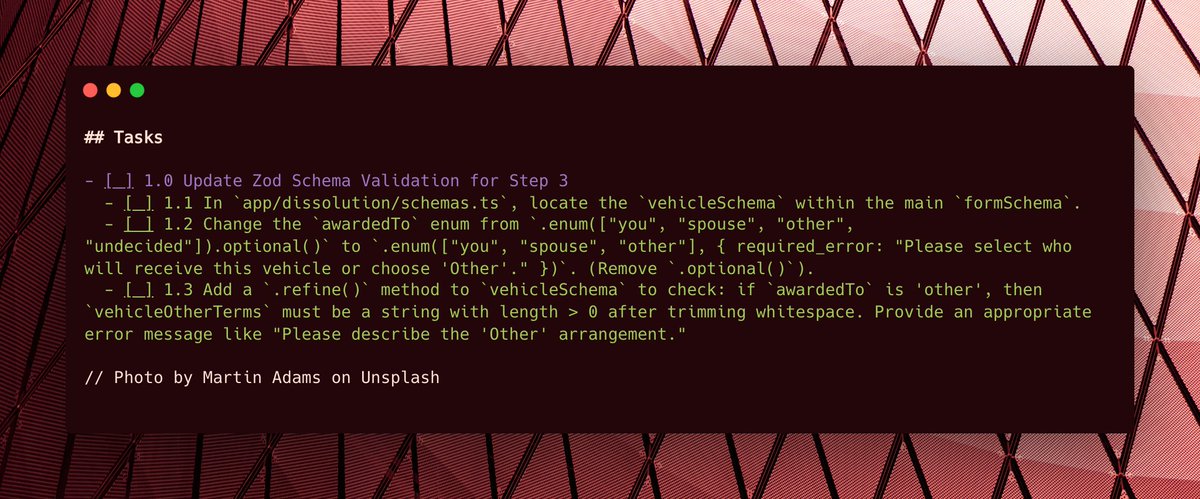
To ensure methodical progress and allow for verification, we'll use process-task-list.mdc. This command instructs the AI to focus on one task at a time and wait for your go-ahead before moving to the next.
-
Ensure you have the
process-task-list.mdcfile accessible. -
In Cursor's Agent chat, tell the AI to start with the first task (e.g.,
1.1from your generated task list file, saytasks-MyFeature-PRD.md):Please start on task 1.1 from @tasks-MyFeature-PRD.md and use @process-task-list.mdc. Ensure your implementation follows the design specified in @tdd-MyFeature-PRD.md.(Important: You only need to reference
@process-task-list.mdcfor the first task. The instructions within it guide the AI for subsequent tasks. Remember to point to your TDD file.)The AI will attempt the task and then prompt you to review.
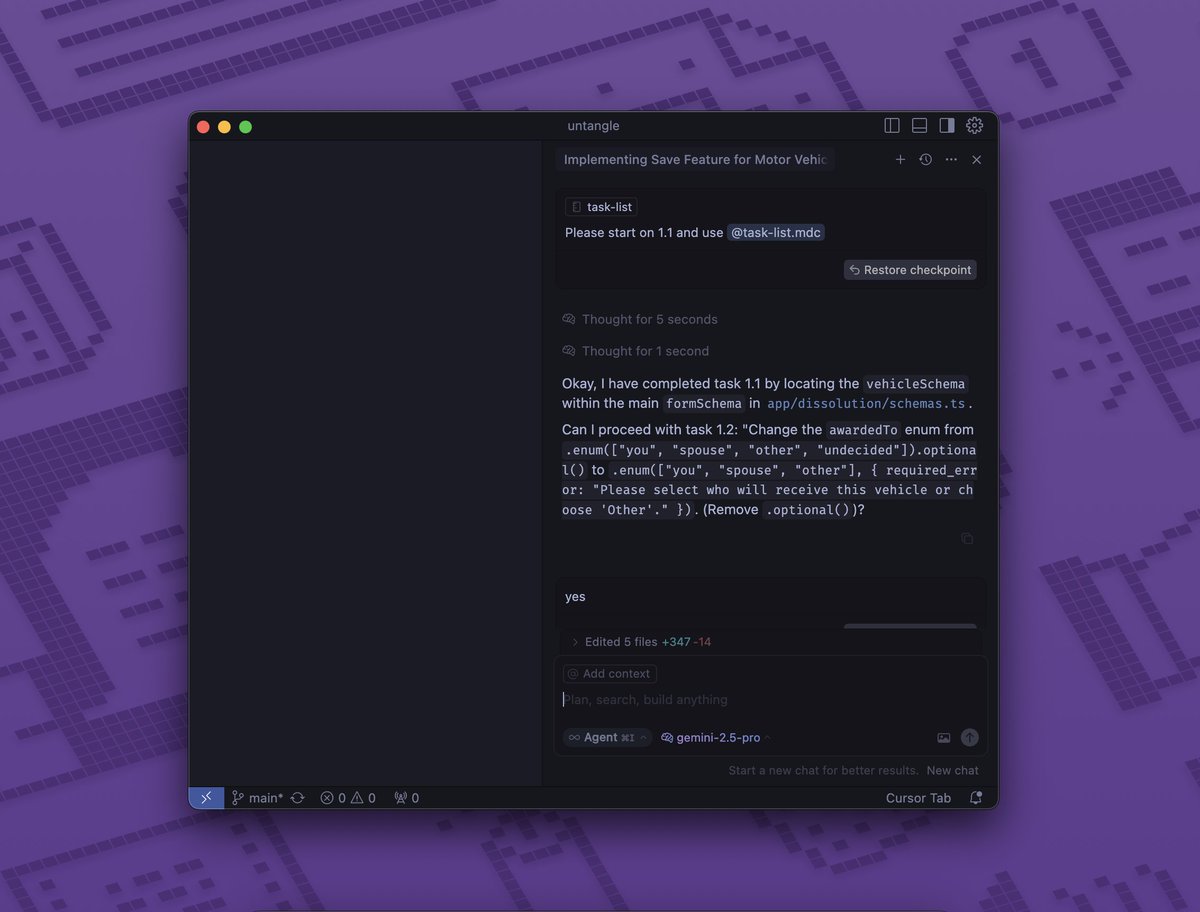
As the AI completes each task, you review the changes.
- If the changes are good, simply reply with "yes" (or a similar affirmative) to instruct the AI to mark the task complete and move to the next one according to the
process-task-list.mdcinstructions. - If changes are needed, provide feedback to the AI to correct the current task before moving on.
You'll see a satisfying list of completed items grow, providing a clear visual of your feature coming to life!
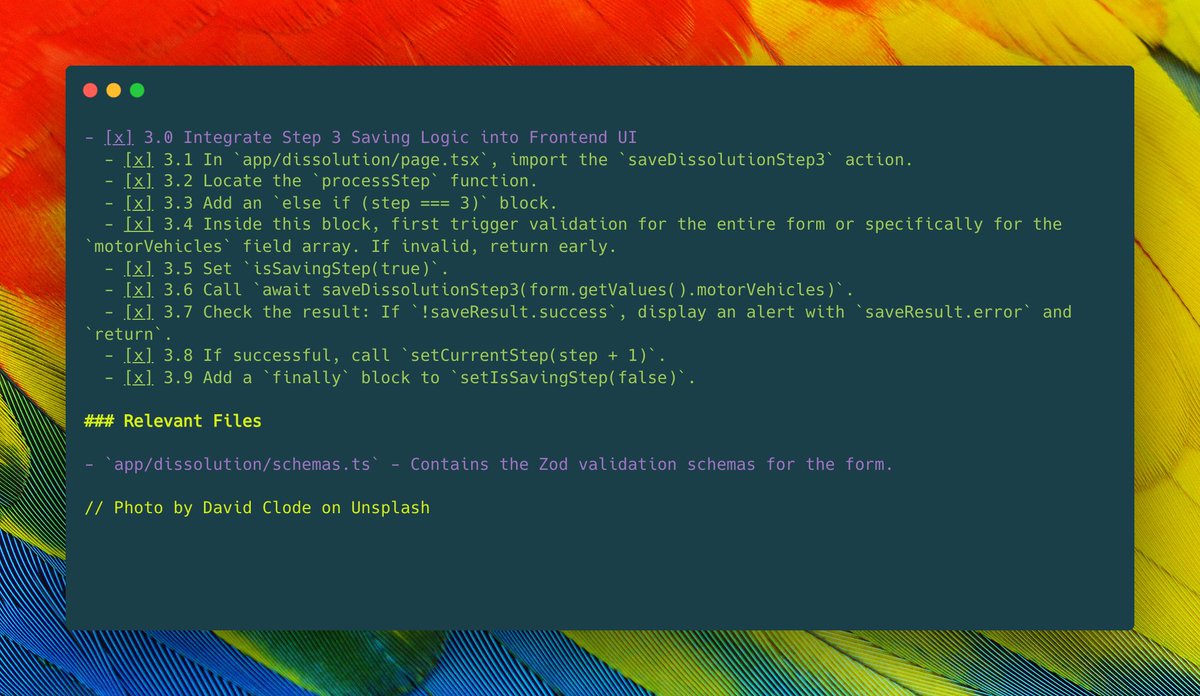
While it's not always perfect, this method has proven to be a very reliable way to build out larger features with AI assistance.
create-prd.mdc: Guides the AI in generating a Product Requirement Document for your feature.create-tdd.mdc: Guides the AI in creating a Technical Design Document based on a PRD, detailing the "how".generate-tasks-from-prd.mdc: Takes a PRD markdown file (and references a TDD) as input and helps the AI break it down into a detailed, step-by-step implementation task list.process-task-list.mdc: Instructs the AI on how to process the generated task list, tackling one task at a time, referencing the TDD for implementation guidance, and waiting for your approval before proceeding. (This file also contains logic for the AI to mark tasks as complete).
- Structured Development: Enforces a clear process from idea to code.
- Clear Technical Planning: The TDD ensures that the "how" is considered before implementation starts.
- Step-by-Step Verification: Allows you to review and approve AI-generated code at each small step, ensuring quality and control.
- Manages Complexity: Breaks down large features into smaller, digestible tasks for the AI, reducing the chance of it getting lost or generating overly complex, incorrect code.
- Improved Reliability: Offers a more dependable approach to leveraging AI for significant development work compared to single, large prompts.
- Clear Progress Tracking: Provides a visual representation of completed tasks, making it easy to see how much has been done and what's next.
- Clone or Download: Get these
.mdcfiles into your project or a central location where Cursor can access them. - Follow the Workflow: Systematically use the
.mdcfiles in Cursor's Agent chat as described in the 6-step workflow above. - Adapt and Iterate:
- Feel free to modify the prompts within the
.mdcfiles to better suit your specific needs or coding style. - If the AI struggles with a task, try rephrasing your initial feature description, refining the TDD, or breaking down tasks even further.
- Feel free to modify the prompts within the
- Be Specific: The more context and clear instructions you provide (in your initial feature description, PRD, TDD, and any clarifications), the better the AI's output will be.
- MAX Mode for PRDs/TDDs: Using MAX mode in Cursor for PRD and TDD creation can yield more thorough and higher-quality results if your budget supports it.
- Correct File Tagging: Always ensure you're accurately tagging the PRD, TDD, and task list filenames (e.g.,
@MyFeature-PRD.md,@tdd-MyFeature-PRD.md,@tasks-MyFeature-PRD.md) when interacting with the AI. - Iterate on Designs: The TDD is a plan. If, during task breakdown or implementation, a better technical approach is found, be open to updating the TDD.
- Patience and Iteration: AI is a powerful tool, but it's not magic. Be prepared to guide, correct, and iterate. This workflow is designed to make that iteration process smoother.
Got ideas to improve these .mdc files or have new ones that fit this workflow? Contributions are welcome!
Please feel free to:
- Open an issue to discuss changes or suggest new features.
- Submit a pull request with your enhancements.
Happy AI-assisted developing!