This will be a collection of free resources for ComfyUI.
Hopefully it will make creating cool stuff easier.
All of my nodes are created with the help of AI, so there may or may not be redundant, messy code.
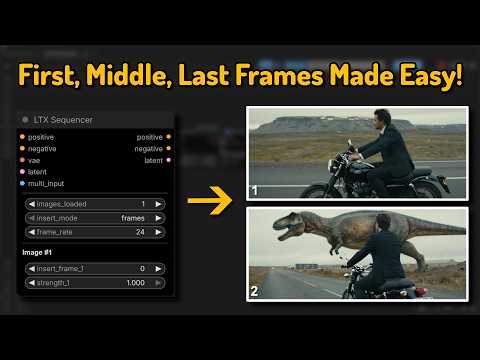
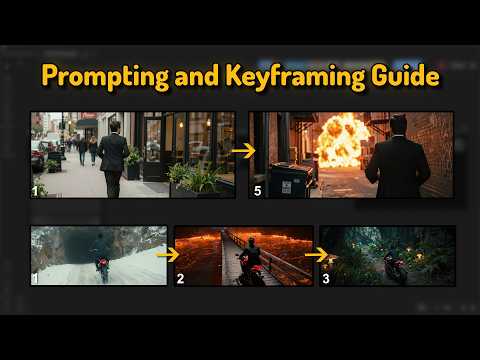
- Navigate to your
/ComfyUI/custom_nodes/ folder - Run
git clone https://github.com/WhatDreamscost/WhatDreamsCost-ComfyUI - Or download through the ComfyUI Manager.
-
v1.2.0
- New Node: Speech Length Calculator
Automatically output in realtime how long a video should be based on the dialouge.
-
v1.1.0
- Added resize_method to the Multi Image Loader node for more resize options
- Added insert_mode which allows you to enter in seconds instead of frames on the LTX Sequencer node
- Updated workflows with more notes
- Re-added tiny vae to workflows
- Fixed various bugs
- more things i can't rememeber
This update will change the node layouts, so be sure to update your workflows or else they won't work properly.
❗❗❗ New Tutorial on using these nodes available: https://www.youtube.com/watch?v=aXDIr8eNovI ❗❗❗

An Image loader that features a built in gallery, allowing your to easily rearrange images and output them seperately or batched together. It also combines the image resize node and LTXVPreprocess node to reduce clutter in LTX workflows.

An overhaul of the LTXVAddGuideMulti node. It allows you to quickly create FFLF (First Frame Last Frame) videos, shot sequences, supports any number of middle frames.
Connect the Multi Image Loader node's multi_output to automatically update the node's widgets.
It also has a sync feature that syncs all LTX Sequencer nodes together in realtime, removing the need to edit every single node manually every time you want to make a change to something.

An overhaul of the LTXVImgToVideoInplaceKJ node. It allows you to quickly create FFLF (First Frame Last Frame) videos and shot sequences. Also upports any number of middle frames.
Connect the Multi Image Loader node's multi_output to automatically update the node's widgets.
It also has a sync feature that syncs all LTX Keyframer nodes together in realtime, removing the need to edit every single node manually every time you want to make a change to something.
I would recommend using the LTX Sequencer Node over this node, after further testing it seems superior in at pretty much everything. I'll leave it in just in case more people want to test it

This node calculates in realtime how long a video should be based on the dialogue. Any words in quotations will be considered as speech. The node updates in realtime without having to run the workflow, and outputs the length depending on how fast the speech is.
If you connect another string/text node to the text_input, it will still update in the length in realtime.
I kept having to play the guessing game on my own generations so I made this node to make it easier 🤷♂️

This is a compact LTX 2.3 workflow for I2V and First Frame, Middle Frame, Last frame video generation. I seperated and organized everything into subraphs to make things as clean as possible, and added toggles to customize the workflow quickly.
Download workflows here: https://github.com/WhatDreamsCost/WhatDreamsCost-ComfyUI/tree/main/example_workflows
Or drag and drop the image into ComfyUI to import workflow.
Multi Image Loader
- Rearranging images sometimes gets finicky. I'll try and fix this soon. It may be due to my ComfyUI frontend not matching the backend.
LTX Sequencer and LTX Keyframer
- Will randomly swap the widget values when loading workflows. It happens very rarely, and for some reason only happens to 1 node. It can be reversed by just re-syncing it with another node.
It may also be due to my ComfyUI frontend not matching the backend (that has been causing other issues with ComfyUI, still waiting for ComfyUI to fix the issues with latest version)
I made these nodes knowing almost nothing about python and a beginner level knowledge of javascript. Feel free to suggest improvements, and if you run into any bugs let me know.
For those asking, I mainly used gemini to create these nodes.
