
A personal Claude assistant that runs securely in containers. Forked from NanoClaw with Telegram as the default channel, a built-in web control panel, and cybersecurity-focused customizations. Formerly known as NanoClaw Hard Shell.
Support For more support and information about this repo, join the free mentoring of Dr. Allen Harper. Once inside, see the Secure Vibe Coding Masterclass, where we are engaged in discussions on this and other similar topics. Follow Dr. Allen Harper on YouTube and X.
BastionClaw (formerly NanoClaw Hard Shell) is a fork of NanoClaw, an awesome lightweight personal Claude assistant. This fork makes the following changes:
- Telegram by default — Uses Telegram Bot API (via Grammy) instead of WhatsApp as the primary channel
- Multi-channel support — Discord (via discord.js) and WhatsApp alongside Telegram. Run any combination simultaneously.
- Agent Swarm identities — On Discord, each subagent gets its own username and avatar via webhooks. On Telegram, each gets its own bot identity in the group.
- WhatsApp sender allowlist — Restricts which phone numbers can trigger the bot on WhatsApp, preventing unauthorized users in shared groups from activating the agent under your identity
- Web control panel — Built-in Fastify + Lit web UI for monitoring, chat, and management
- Cybersecurity hardening — Additional tooling and configuration for security research workflows
All credit for the core architecture, container isolation model, skills system, and agent swarm support goes to the upstream NanoClaw project.
The authors of NanoClaw built it as a lightweight, secure alternative to OpenClaw. OpenClaw has 52+ modules, 8 config management files, 45+ dependencies, and abstractions for 15 channel providers. Security is application-level (allowlists, pairing codes) rather than OS isolation. Everything runs in one Node process with shared memory.
NanoClaw gives you the same core functionality in a codebase you can understand in 8 minutes. One process. A handful of files. Agents run in actual Linux containers with filesystem isolation, not behind permission checks.
BastionClaw builds on this and takes it further.

I needed a personal Claude assistant tailored for cybersecurity work. NanoClaw's container isolation model and small codebase made it the ideal foundation. This fork adds:
- Telegram-first setup — Official bot API is more reliable than WhatsApp's unofficial library, and better suited for automated workflows
- Web control panel — Full browser-based UI for monitoring agent sessions, managing tasks, viewing logs, querying the qmd semantic memory system, and chatting directly with the agent without needing a phone
- WhatsApp sender allowlist — Unlike Telegram (where only your bot receives messages), WhatsApp links as your personal account — anyone in your groups who types the trigger word activates the agent as you.
WHATSAPP_ALLOWED_SENDERSrestricts which phone numbers can trigger the bot while still storing all messages as conversation context - Security cherry-picks — Backported upstream security PRs (CPU/memory limits, secret sanitization, per-group IPC namespaces, mount allowlist) to harden the fork for sensitive workflows like penetration testing and threat analysis
- Semantic memory + insight engine — Long-term memory powered by hybrid search (BM25 + vector embeddings) running fully local with GGUF models. Optional Data-to-Wisdom pipeline ingests YouTube videos, articles, and PDFs, extracts generalizable insights, deduplicates semantically across sources, and surfaces corroborated patterns
- Windows + Docker support — Full WSL2 setup guide with Docker/Podman as container runtime alternatives to Apple Container
The upstream project's philosophy of "skills over features" means these customizations stay clean and maintainable.

BastionClaw Mission Control — A real-time command center for managing autonomous agents and task queues. Built with Convex, React, and Tailwind CSS, it provides a kanban-style mission queue, live agent roster with status indicators, document preview with full markdown rendering, and per-agent configuration with custom system prompts and personas. Integrates with BastionClaw for automatic task tracking with real-time lifecycle events.
git clone https://github.com/harperaa/bastionclaw.git
cd bastionclaw
claude
Then run /setup. Claude Code handles everything: dependencies, Telegram bot creation, container setup, service configuration.
Windows requires WSL2 (Windows Subsystem for Linux), which provides a real Linux environment. Everything runs inside WSL2.
Open PowerShell as Administrator (right-click Start > "Terminal (Admin)" or search "PowerShell" > Run as Administrator) and run:
wsl --installThis installs WSL2 with Ubuntu. Restart your computer when prompted.
After restarting, Ubuntu will open automatically. Create a Linux username and password when asked (these are separate from your Windows login).
Download and install Docker Desktop for Windows. During installation, make sure "Use WSL 2 instead of Hyper-V" is checked.
After installing, open Docker Desktop, go to Settings > Resources > WSL Integration, enable your Ubuntu distribution, and click Apply & Restart.
Open your Ubuntu terminal (search "Ubuntu" in Start menu) and run:
# Install Node.js 22
curl -fsSL https://deb.nodesource.com/setup_22.x | sudo -E bash -
sudo apt install -y nodejs

# Install Claude Code
npm install -g @anthropic-ai/claude-codeImportant: Clone inside your Ubuntu home directory, not on the Windows filesystem (/mnt/c/). The Windows filesystem is much slower through WSL2.
cd ~
git clone https://github.com/harperaa/bastionclaw.git
cd bastionclaw
claude
Then run /setup-windows. Claude Code validates your WSL2 environment, installs dependencies, configures Docker or Podman, and runs 5 validation batteries. After that, run /setup to configure Telegram and your assistant.
WSL2 shuts down when you close all terminal windows. To keep BastionClaw running:
- Option A: Keep a terminal window open
- Option B: After setup completes, the systemd service keeps it running as long as WSL2 is active. To prevent WSL2 from shutting down, create a Windows scheduled task that runs
wsl -d Ubuntu -e sleep infinityat login
- Multi-channel messaging — Telegram (default), Discord (
/add-discord), or WhatsApp (/add-whatsapp). Run one or all simultaneously. - Isolated group context — Each group has its own
CLAUDE.mdmemory, isolated filesystem, and runs in its own container sandbox with only that filesystem mounted - Main channel — Your private channel (DM with bot) for admin control; every other group is completely isolated
- Scheduled tasks — Recurring jobs that run the agent and can message you back
- Web access — Search and fetch content
- Container isolation — Agents sandboxed in Apple Container (macOS) or Docker (macOS/Linux/Windows WSL2)
- Agent Swarms — Spin up teams of specialized agents that collaborate on complex tasks. Multiple swarms can run on different channels simultaneously, each with its own team composition and isolated group folder. See Agent Swarms below for details.
- Optional integrations — Add Gmail (
/add-gmail), voice transcription (/add-voice-transcription), and more via skills - Semantic memory — Long-term memory powered by qmd with hybrid search (BM25 + vector + LLM reranking). Conversations are progressively indexed mid-session and archived at compaction. The agent naturally recalls past discussions without being asked. Runs fully local with GGUF models (~2GB) — no cloud APIs needed. See docs/MEMORY.md for architecture details.
- Insight engine (optional) — Ingest articles, YouTube videos, PDFs, and podcasts to extract generalizable insights. The system deduplicates semantically — when multiple independent sources express the same idea, they merge and the insight's corroboration count rises. Top insights surface the most widely-observed principles across all your content. See docs/INSIGHTS.md for architecture details.

- Web control panel — Browser-based UI for monitoring, chat, and management
BastionClaw includes a built-in web control panel that starts automatically alongside the main process at http://localhost:3100.
| Group | Tabs | Purpose |
|---|---|---|
| Chat | Chat | Send messages to your agent directly from the browser. Spawns a container and streams the response in real-time via WebSocket. |
| Dashboard | Overview, Channels, Memory | System stats (uptime, queue depth, message counts), channel health status, and semantic memory index with collection browser and search. |
| Operations | Insights, YouTube, Groups, Messages, Tasks, Sessions | Insights ranked by corroboration (optional), YouTube source dashboard with VPH tracking (optional), registered groups, message history, scheduled tasks (pause/resume/delete), and active sessions. |
| System | Skills, Config, Logs, Debug | Full CRUD for skills, CLAUDE.md editor with per-group scope selector, in-memory log viewer with level filters, and system diagnostics (queue state, DB stats, process info). |
The web server runs inside the same Node.js process as everything else — no separate service to manage. It uses Fastify for HTTP/WebSocket and serves a pre-built Lit frontend from ui/dist/.
- REST API (
/api/*) for reads and mutations — callsdb.tsfunctions directly - WebSocket (
/ws) for live events and chat streaming - Chat sends messages through the same
GroupQueueandrunContainerAgentpipeline as Telegram messages, using aweb@chatpseudo-JID
To rebuild the frontend after changes:
cd ui && npm install && npm run buildThe port can be changed with the WEBUI_PORT environment variable (default: 3100).
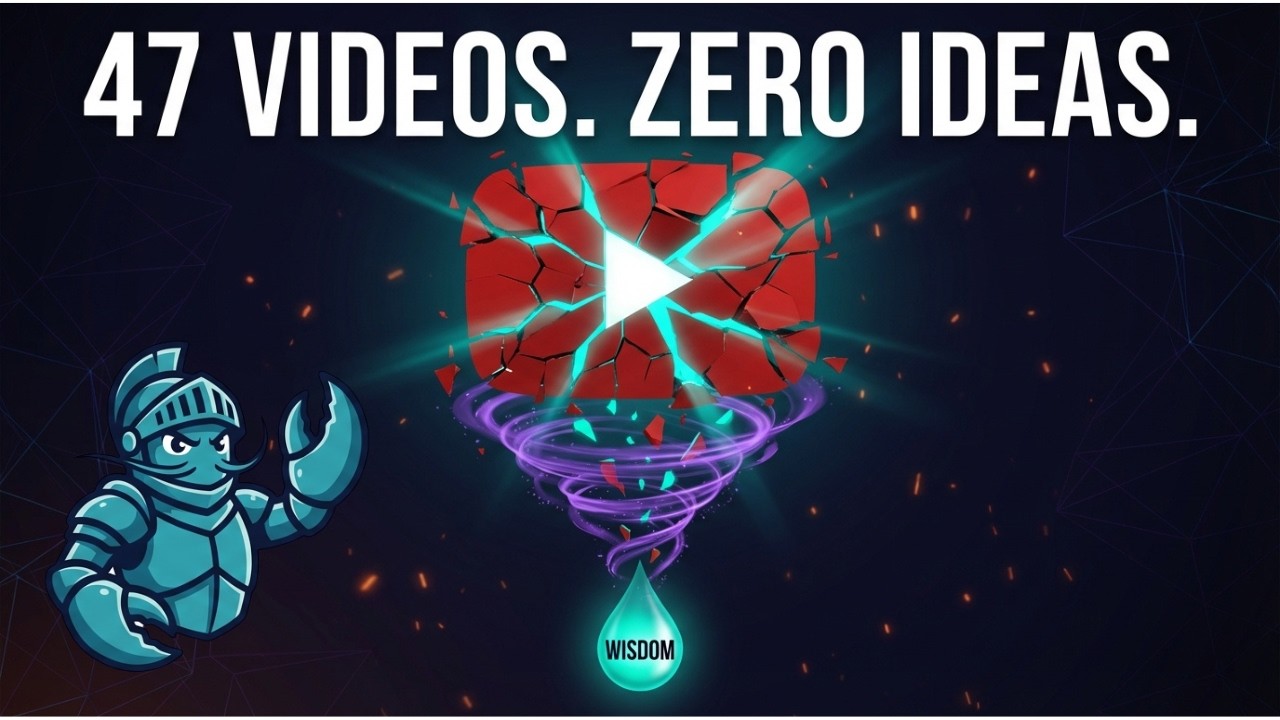
Optionally, BastionClaw turns raw content into actionable knowledge through a four-stage pipeline:
- Data — Monitor YouTube channels, ingest articles, PDFs, and podcasts. The system pulls transcripts and metadata automatically.
- Insights — An AI agent extracts 10-15 generalizable principles per source, each with category, context quote, and timestamp attribution.
- Knowledge — Semantic deduplication merges insights across sources. When 5 creators independently say the same thing, it's signal — not noise. Corroboration count drives ranking.
- Wisdom — Gap analysis identifies what nobody is saying yet. Human + AI review the corroborated insights to plan content strategy, identify trends, and make decisions.

To enable the pipeline, run /ingest to add individual sources or /refresh-insights to set up YouTube channel monitoring with scheduled tasks that automatically fetch new videos and extract insights on a recurring basis.
Agent Swarms let you create teams of specialized agents that collaborate on tasks. Each agent gets its own visible identity in the chat — distinct usernames and avatars on Discord, separate bot identities on Telegram — so users can see who's doing what.
When a user sends a task, the lead agent breaks it into subtasks and delegates to specialists (Researcher, Developer, Reviewer, etc.) using Claude's agent teams. Each specialist posts their work to the group chat via send_message with a sender parameter that identifies them. The host routes each message through the appropriate channel identity:
- Discord: Per-channel webhooks. Each
sendername becomes a unique username + auto-generated avatar. - Telegram: Bot pool. Each
senderis assigned a dedicated bot from a pool of 3-5 bots you create via BotFather.
You can run multiple swarms on different channels simultaneously. Each swarm has:
- Its own Discord channel or Telegram group with a dedicated webhook/bot pool
- Its own team composition — a marketing channel might have a Writer, Editor, and Fact-Checker while a dev channel has an Architect, Developer, and QA Reviewer
- Its own isolated group folder (
groups/discord-marketing/,groups/telegram-research/, etc.) with separateCLAUDE.mdinstructions and memory - Per-channel webhook routing — webhook URLs are stored in each group's
container_configin the database, not a shared env var
Each swarm runs in its own container (~1GB RAM). The default limit is 5 concurrent containers shared across all channels, configurable via MAX_CONCURRENT_CONTAINERS in .env.
Discord swarm:
claude
# then type: /add-discord-swarm
The skill walks you through:
- Choosing a theme name based on interest (marketing, stocks, research, dev, personal)
- Defining team composition from templates or custom roles
- Creating a Discord webhook for the specific channel
- Writing team instructions to the group's
CLAUDE.md
If swarms already exist, you can add a new one alongside them, replace an existing one, or update a swarm's team composition.
Telegram swarm:
claude
# then type: /add-telegram-swarm
Similar flow, but instead of webhooks you create 3-5 pool bots via BotFather. Each bot is renamed dynamically to match the agent's role when it first speaks.
| Command | What it does |
|---|---|
/add-discord-swarm |
Add a new Discord swarm, update an existing one, or replace one |
/add-telegram-swarm |
Add a new Telegram swarm with bot pool identities |
/add-discord |
Set up Discord as a channel (prerequisite for Discord swarms) |
/add-telegram |
Set up Telegram as a channel (prerequisite for Telegram swarms) |
Talk to your assistant with the trigger word (default: @Kai):
@Kai send an overview of the sales pipeline every weekday morning at 9am (has access to my Obsidian vault folder)
@Kai review the git history for the past week each Friday and update the README if there's drift
@Kai every Monday at 8am, compile news on AI developments from Hacker News and TechCrunch and message me a briefing
From the main channel (DM with bot), you can manage groups and tasks:
@Kai list all scheduled tasks across groups
@Kai pause the Monday briefing task
@Kai join the Family Chat group
Run /update inside Claude Code. It fetches the latest from upstream, detects conflicts with your customizations, and helps you merge safely. A rollback tag is created before every update.
claude
# then type: /update
The update skill knows which files are yours (never touched), which are shared (merged carefully), and which are framework code (replaced). See the customization zones below.
There are no configuration files to learn. Just tell Claude Code what you want:
- "Change the trigger word to @Bob"
- "Remember in the future to make responses shorter and more direct"
- "Add a custom greeting when I say good morning"
- "Store conversation summaries weekly"
Or run /customize for guided changes.
The codebase is small enough that Claude can safely modify it.
Every file in BastionClaw falls into one of three zones that determine how updates affect it.
Green Zone — Yours. Updates never touch these.
| What | Examples |
|---|---|
| Secrets & config | .env |
| All persistent data | store/, data/, logs/ |
| Group workspaces | groups/*/ (files, insights, conversations — everything except CLAUDE.md) |
| User-created groups | groups/{your-groups}/ (entire directory) |
| User-created skills | .claude/skills/{your-skill}/ (new skill directories you add) |
| User-created container skills | container/skills/{your-skill}/ (new directories you add) |
| External config | ~/.config/bastionclaw/mount-allowlist.json |
| YouTube sources | .claude/skills/youtube-planner/sources.json |
Yellow Zone — Shared. Updates detect your edits and help you merge.
| What | How Updates Handle It |
|---|---|
groups/main/CLAUDE.md |
Three-way merge — your edits preserved, new sections added |
groups/global/CLAUDE.md |
Same three-way merge |
Shipped container skills (agent-browser, refresh-insights) |
Replaced unless you edited them, then merge offered |
| Service files (launchd plist / systemd unit) | Preserved if exists |
Red Zone — Framework. Replaced on update. Do not modify directly.
| What |
|---|
All TypeScript source (src/, container/agent-runner/src/) |
Container build files (Dockerfile, build.sh) |
Shipped skills (.claude/skills/*/SKILL.md) |
Slash commands (.claude/commands/*.md) |
Scripts (scripts/), docs (docs/), UI (ui/) |
package.json, tsconfig.json, root CLAUDE.md, README.md |
How to customize Red Zone behavior without editing Red Zone files:
- Change agent behavior → Edit
groups/main/CLAUDE.mdorgroups/global/CLAUDE.md(Yellow Zone) - Add new capabilities → Create a new skill directory in
.claude/skills/(Green Zone) - Change configuration → Set environment variables in
.env(Green Zone) - Add container tools → Create a new directory in
container/skills/(Green Zone)
Issues and PRs are welcome. If your change would also benefit the upstream project, please consider contributing it to qwibitai/nanoclaw as well.
Don't add features. Add skills. See upstream NanoClaw for the full philosophy.
- macOS, Linux, or Windows 10/11 (via WSL2)
- Node.js 20+
- Claude Code
- Apple Container (macOS) or Docker (macOS/Linux/Windows WSL2)
- A messaging account: Telegram (@BotFather), Discord (Developer Portal), or WhatsApp
Channels (Telegram/Discord/WhatsApp) --> SQLite --> Polling loop --> Container (Claude Agent SDK) --> Response
WebUI (localhost:3100)                --> REST API / WebSocket ----^
Single Node.js process. Agents execute in isolated Linux containers with mounted directories. Per-group message queue with concurrency control. IPC via filesystem. Built-in Fastify web server for the control panel.
Key files:
src/index.ts- Orchestrator: state, message loop, agent invocationsrc/channels/telegram.ts- Telegram bot connection, send/receivesrc/channels/discord.ts- Discord bot + webhook swarm identitiessrc/ipc.ts- IPC watcher and task processingsrc/router.ts- Message formatting and outbound routingsrc/group-queue.ts- Per-group queue with global concurrency limitsrc/container-runner.ts- Spawns streaming agent containerssrc/task-scheduler.ts- Runs scheduled taskssrc/db.ts- SQLite operations (messages, groups, sessions, state)src/webui/server.ts- Fastify server, API routes, WebSocket handlerui/- Lit + Vite frontend (built toui/dist/)groups/*/CLAUDE.md- Per-group memorydocs/MEMORY.md- Memory system architecture and qmd integration
Why Telegram and not WhatsApp/Discord/Signal/etc?
Telegram has an official bot API, making it the most reliable and easiest to set up. Discord and WhatsApp are also fully supported — run /add-discord or /add-whatsapp to add or switch channels. You can run multiple channels simultaneously. That's the whole point of the skills system.
Why Apple Container instead of Docker?
On macOS, Apple Container is lightweight, fast, and optimized for Apple silicon. But Docker is also fully supported — during /setup, you can choose which runtime to use. On Linux and Windows (WSL2), Docker is used automatically. Podman is also supported on WSL2.
Can I run this on Linux?
Yes. Run /setup and it will automatically configure Docker as the container runtime.
Can I run this on Windows?
Yes, via WSL2. See the Windows quick start above. Run /setup-windows inside WSL2 for guided setup — it validates your environment, installs Docker or Podman, and runs 5 validation batteries. Requires Windows 10 version 2004+ or Windows 11.
Is this secure?
Agents run in containers, not behind application-level permission checks. They can only access explicitly mounted directories. You should still review what you're running, but the codebase is small enough that you actually can. See docs/SECURITY-MODEL.md for the full security model.
How do I debug issues?
Run claude, then run /debug. Check logs/bastionclaw.log and logs/bastionclaw.error.log for details.
Join the BastionClaw Discord for support, discussion, and sharing your agent setups.
This project is a fork of NanoClaw by @gavrielc. Check out the upstream project for the original vision, community Discord, and contribution guidelines.
MIT