Adapters
The USB host-based adapters are the last resort if you don't have access to the controller or do not want to open the keyboard. You could do much better with UART Bluetooth HID modules, as they don't use USB, they don't need 3.3V to 5V boost converter and much more battery friendly. USB Bluetooth adapters are easier to use but the battery life is not good. You need either MAX3421e or PIC32 or STM32F105 for the USB host. Note some keyboards can work from 3V some won't even start (e.g. CM Novatouch needs 5V) so those adapters use 3.7V-5V DC-DC voltage booster for all the keyboards.
- GH60 thread: https://geekhack.org/index.php?topic=40514
- Imgur album: https://imgur.com/a/eIk8Y

- Handheld SCI Bluetooth Keyboard Adapter, $39: http://handheldsci.com/kb


There's also a new version (BT-500):
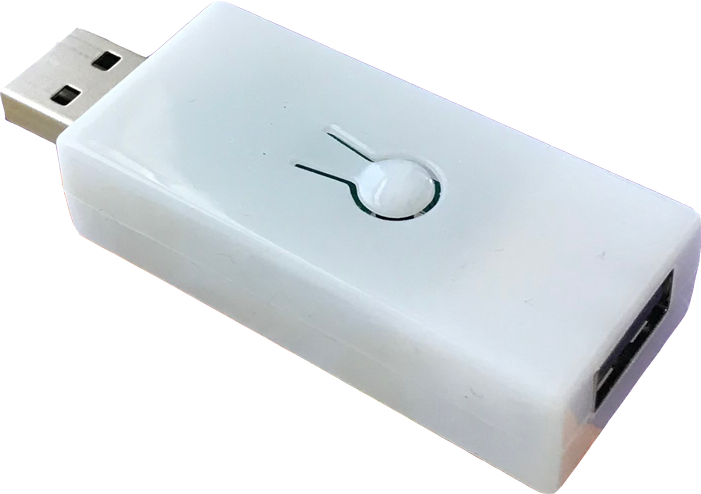
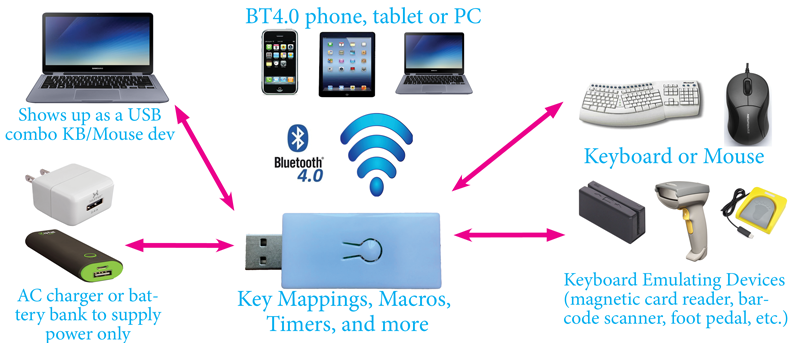
- TaoBao Adapter, $20: https://world.taobao.com/item/542300386181.htm +$3 wakeup touch module https://world.taobao.com/item/548629862732.htm
Looks like there's no separate USB host (MAX3421E) on the PCB so that QFN controller could actually be STM32F105 (USB host and client) and the module on the rear side definitely looks like a CC2541 clone (I have a similar one).
There's also a funny thing, wake up touch module ($3) https://world.taobao.com/item/548629862732.htm Looks like people use it with the module above. According to the description you don't even need a physical button it's rather a proximity sensor (probably TTP223B based).


Uses a standard Bluetooth dongle as Bluetooth HID. I have no idea how that works but apparently it works. Uses PIC-32 as USB host. Firmware is closed source.
- USB2BT Adapter (PIC-32 based), $60: https://www.amazon.com/dp/B00PI7ZDOI/
- Schematics (japanese): http://sohta02.web.fc2.com/usb2bt.html
- Unboxing: https://www.youtube.com/watch?v=SRSyqky-WWk


This one is pretty cheap, recommended for starters. It uses $2 HC-06 module flashed into RN-42, $2 Arduino Mini and an $5 USB host Arduino shield.
Note you absolutely need an USB-host capable microcontroller such as MAX3421E, Atmega32u4 is USB-client only and can't work as a host.
- DIY HID Relay (Arduino Mini + USB Host Shield, MAX3421E based): https://hackaday.com/2016/09/04/convert-any-usb-keyboard-to-bluetooth/


USB Host Shield in question (costed about $5): https://www.aliexpress.com/item/32942427334.html

The battery doesn't last long because of RN-42 and 5V booster but you can try optimizing the firmware/using 3V power.
You can also make wired USB to QMK converter out of it:
- https://geekhack.org/index.php?topic=69169.0 (Hasu's USB2USB converter, costs $80)
- https://geekhack.org/index.php?topic=80421.0 (DIY from pro micro and USB host shield)
- https://testchamber.one/posts/qmk-usb-usb-converter (DIY instruction in Russian)
Also see the infamous GH60 thread: https://geekhack.org/index.php?topic=40514
"USB Keyboard Bluetooth 5.3 Converter Wired Keyboard To Wireless Adaptor Converter Bluetooth Module for DIY Keyboard Adapter"
Relatively cheap ($15), maybe cheaper than MAX3421E host shield and all the parts.
- Keyboard only: https://aliexpress.com/item/1005003539180801.html
- Keyboard+mouse: https://aliexpress.com/item/1005002351838917.html
- Video: https://www.youtube.com/watch?v=NLS1afRVkV8
(The second USB is for the power brick, see video above.)

"2.4G And Bluetooth 5.3 Wireless Converter USB Wired Keyboard To Bluetooth Wireless Adaptor Adapter DIY"
A good conversion kit, from the look of it. Costs about $15 as well.

WBT2-V4 convert wired keyboard to wireless, Mouse and keyboard sharer (Reddit)
- https://www.wscome.com/product/wbt2-v4-convert-wired-keyboard-to-wireless-mouse-and-keyboard-sharer/

These are NOT WIRELESS. Only listed for reference.
Those pass-through adapters allow to use QMK firmware on any USB keyboard. They usually use a dedicated chip for the USB host, MAX3421e (Atmega 32U4 doesn't have USB host, only USB client).
Made by Hasu. Uses MAX3421e for the USB host.

Arrived on Aliepress in Oct 2023. Pretty small size. Costs about $20.

See Software for ZMK-based controllers.
- https://geekhack.org/index.php?topic=71517.0
- https://www.reddit.com/r/HHKB/comments/ufikfr/hasu_hhkb_pro2_bt_where_can_i_find_one/
Really obsolete, has 5V DC-DC so it lasts for ~18h on 2500 mAh (YDKB lasts 2 weeks, RF dongle lasts even more).
HHKB Pro 2 YDKB controler from Yang/YDKB (I use that with an USB-C adapter). Very nicely done. Features USB-A hub. Doesn't need external leds, there are onboard status leds that shine through USB-A ports.
- https://aliexpress.com/wholesale?SearchText=ydkb+hhkb (search)
- https://github.com/joric/usb-c/wiki/YDKB (DIY USB-C adapter)
- https://imgur.com/a/fY6lVmt (album)
- https://ydkb.io/ (official configurator)
- https://hhkb.io/modding/controllers/ (documentation)


Also sells as Eevee here:
- https://aliexpress.com/item/1005009579474243.html?sku_id=12000049520858619 HHKB Pro2/JP Can Use Happy Flying Wireless Bluetooth Dual-mode Static Capacitance Keyboard PCB Costom Suitable for Giving Gifts

More photos (via @ladniys)


Another module from Taobao:
Uses nRF52840 and USB-C on board. Unfortunately, there's no USB-hub so you have to use stickers to cover the holes.

| wireless controller | rear view |
|---|---|
 |
 |
- Brand Name ziyoulang
- Interface Type USB, Bluetooth, Bluetooth / USB (tri-mode: wired, BLE and RF Dongle)
- Battery Included (684080, 2800 mAh)
HHKB wireless Bluetooth static capacitor keyboard three-mode wireless kit wired to Bluetooth 2.4G wireless customization
- https://aliexpress.com/item/1005009606346026.html
- https://admin.jlc-code.com/pages/review/index?context=bo&traceCode=3mdzyaatx8wy


This may sound redundant but there is actually a replacement controller for HHKB BT (2016). It features better battery life, better connection and keymapping support. The firmware is proprietary Chinese, NOT ZMK. Possibly YMDK (Atmega32u4 + nrf51822 + Mass Storage bootloader). Upd. it's not YMDK, it's something else, completely different.
- https://aliexpress.com/item/1005009603640078.html
- https://admin.jlc-code.com/pages/review/index?context=bo&traceCode=3sfpw3a5sgm0 (documentation)
- https://hhkb.xorlink.com/how_to_ota (documentation)
- https://t.me/klavaorgwork/856203 (review)
- https://imgur.com/a/YYAOv My HHKB BT teardown
HHKB Classic Static Capacitor Keyboard Custom Tri-mode Examination Retrofit Kit Bluetooth 2.4G Wireless One To Many Switching

Sadly it doesn't reuse the battery compartment at all, it uses a small Li-Po battery. You can either try to add 2 14500 Batteries or remove the battery compartment altogether and cover the hole.
- https://imgur.com/a/YYAOv HHKB BT (2016) Teardown (Warning! Gore!)
They also sell HHKB Professional Classic Mod in the same lot.
- https://aliexpress.com/item/1005009603640078.html HHKB Pro BT Capacitor Keyboard Kit 2.4G Wireless Tri Mode One-to-Many Switching Modification Accessory For HHKB Pro BT Classic
- https://aliexpress.ru/item/1005008646459511.html HHKB Pro BT Capacitor Keyboard Tri Mode Wireless 2.4G One-to-Many Switching Modification Kit Accessory For HHKB Pro BT Classic

It's a little bit funny because HHKB Classic PCB has an unpopulated BT-module footprint, but it's apparently borderline impossible to reverse-engineer or replace Classic firmware with the firmare from HHKB Hybrid.
- https://imgur.com/a/hhkb-classic-hack-p9dWvM0 HHKB Classic hack by Hasu

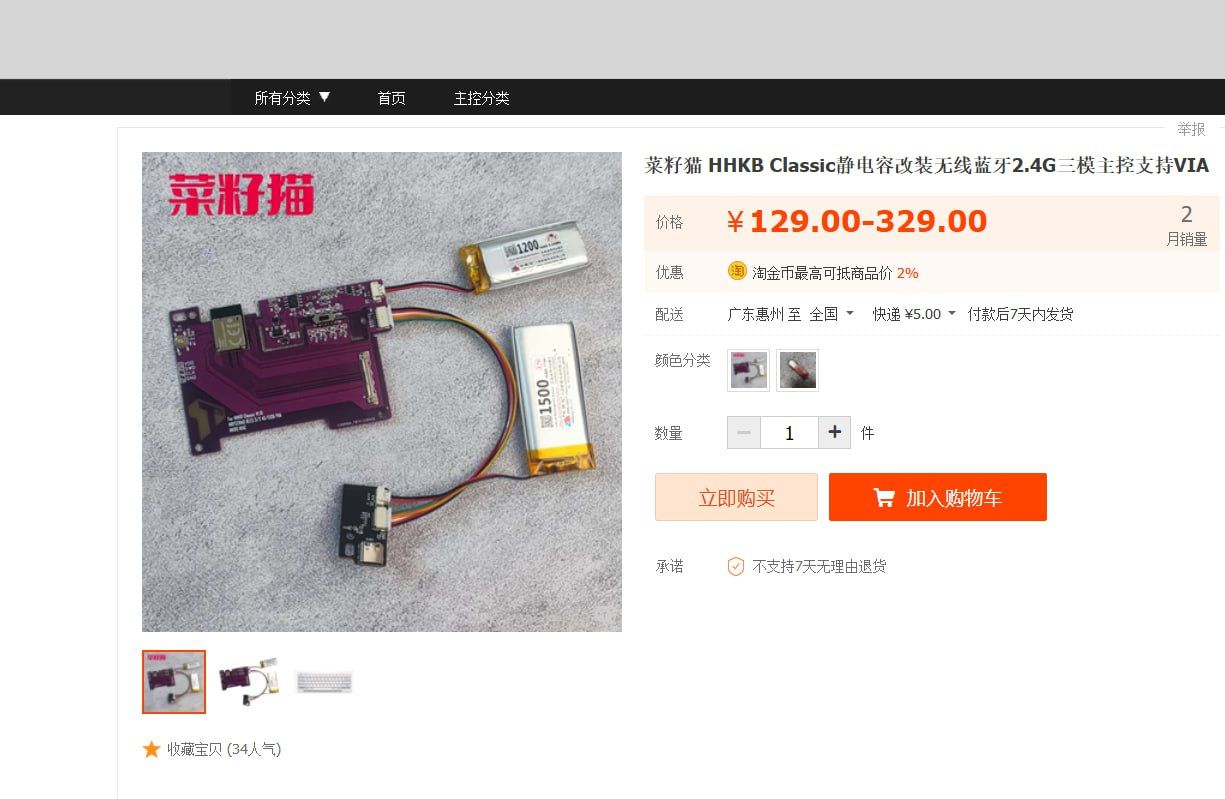
Something obscure from Taobao for HHKB Classic (two batteries, probably because there's no space for a single large battery).
- https://www.zfrontier.com/app/flow/ZlxXqkabX9JA
- https://item.taobao.com/item.htm?spm=a21n57.1.0.0.578f523csL2FmJ&id=715088039960&ns=1&abbucket=9#detail
- https://admin.jlc-code.com/pages/review/index?context=bo&traceCode=2zsi9pk8krgw documentation
| board | receiver front | receiver back |
|---|---|---|
 |
 |
 |
Looks like they never managed to solder BT module to the existing spot and make it work. Too much reverse engineering.
- https://github.com/Cipulot/EC-Pro-2
- https://cannonkeys.com/products/cipulot-ec-pcbs-and-daughterboards
NOT wireless. Features low speed USB 2.0 hub (FE1.1-based). You'd have to replace the switchboard as well (no JST-13).

DISCLAIMER: I do not recommend any of that, there's ZMK dongle setup (nRF52-based) if you want a receiver for some reason.
- The Unifying Receiver uses nRF24LU1+ (single chip solution for compact USB dongles, 8051-based CPU with 16/32 kB FLASH, 512b RAM). It is possible to flash custom firmware on it, rendering it incompatible with Logitech devices.
- It is possible to communicate with nRF24LU1+ via Enhanced ShockBurst (ESB) protocol using nRF52832 chip (e.g. MX Master Mouse): https://devzone.nordicsemi.com/f/nordic-q-a/13878/any-advice-for-nrf52832-to-nrf24l01-communication
- New! There's a reverse-engineered Logitech-compatible firmware that works with the unmodified Logitech Unifying receiver: https://github.com/bilogic/logitech-unifying-device (uses ESP8266, NRF24L01+ and a 5v power board)
A guy named Spindle managed to flash unifying reciever (nRF24LU1+) with his own TMK fork. For the keyboard halves he used two 24l01+ and two 328p's as GPIO extenders for the keyboard matrix.
- https://www.reddit.com/r/MechanicalKeyboards/comments/57vf0w/photos_i_got_my_split_wireless_build_to_run_off_a/
- https://www.reddit.com/r/MechanicalKeyboards/comments/4r13ab/modification_my_3way_split_keyboard_setup/
- https://imgur.com/a/obCG2 (more pictures)
- https://github.com/ahtn/tmk_keyboard/tree/wireless/keyboard/split_keyboard

There also were DIY attempts such as Unigo66. They used two Unifying receivers plugged in something like Hasu usb2usb adapter (Atmega32U4 + MAX3421e + USB hub) for the receiver part and two Logitech k230 (cheapest Unifying keyboards on the market, about $25 each) broken and looted for the transmitter part.
- https://geekhack.org/index.php?topic=97565 [GB] UniGo66 - The Ultimate Wireless Ergo
| Unigo66 front view | Unigo66 PCB |
|---|---|
 |
 |
Since Unigo66 was made/sold in 2018/2019 before the articles about nRF24LE1 firmware dump came out, I tend to believe they resoldered the original chips from the donor Logitech keyboards.
- https://hackaday.com/2021/06/04/an-exercise-in-firmware-dumping-with-the-greatfet (dumping nRF24LE1)
- https://jamchamb.net/2021/05/29/dumping-k360-firmware.html
Video (This wireless split is wireless junk): https://youtu.be/pcNMLgUGfqg
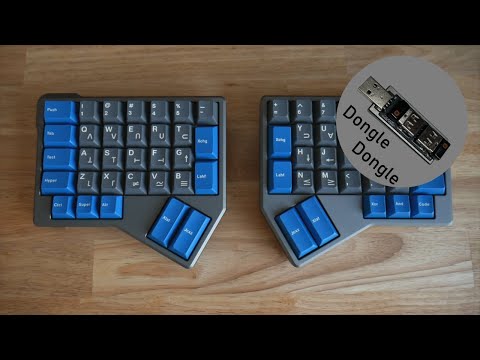
TL;DR: it didn't go well, there were complaints about reception and signal interference. Ergonomics also was questionnable.
Unigo66 vs Ergodox (picture)

WCorne 2.4G spotted on Aliexpress. Uses nRF51822 for the halves but comes with a small receiver dongle, probably nRF24LU1+ based.
CORNE V4 2.4G Wireless MX Mechanical Keyboard Hot-swappable Split Ergonomic 46 key Layout Support VIAL Software Key Mapping
Looks like it uses classic Mitosis scheme but with a small receiver. A reddit user found a matching name, there's even a github but it is for the nRF51822-based receiver coupled with STM32, not nRF24LU1+ so the actual firmware is still kind of questionnable. It doesn't seem like hardware is matching (see #3).
- https://www.reddit.com/r/ErgoMechKeyboards/comments/1h6lxl8/corne_v4_24g_wireless_with_vial/mayb4mf/
- https://docs.keyclicks.ca/w-keyboards/w-corne
- https://github.com/KeyClicks/Split-Keyboard
| Front | Back |
|---|---|
 |
 |
Keychron somehow managed to introduce 24G protocol in ZMK but it was not merged into master at the time. It links lib_nrf_esb_24G.a apparently as a binary blob (ESB is Enhanced ShockBurst, Nordic protocol used by Logitech).
- https://github.com/Keychron/zmk/tree/keychron_bpro/app/src/24G
- https://github.com/Keychron/zmk/blob/keychron_bpro/app/boards/shields/keychron/keychron.zmk.yml
outputs:
  - usb
  - ble
- 24GBesides true wireless Bluetooth, ZMK also supports Dongle scheme for 3 controllers (host + 2 halves). It's a little bit more battery friendly (up to a month on a 100 mAh) than a battery-powered BT host (up to 7 days).
For the dongle you can just use SuperMini with an USB-C pigtail and/or 3D-print a case.
- Firmware: https://github.com/carrefinho/prospector-zmk-module
- Hardware: https://github.com/carrefinho/prospector
Prospector is a desktop ZMK dongle with full color LCD screen.
- Seeed Studio XIAO nRF52840 (or Nice!nano/SuperMini with a modded case)
- 1.69-inch IPS LCD screen with curved cover glass (Waveshare LCD Display Module with Touch)
- Auto brightness with ambient light sensor (APDS9960)
- 3D-printed case with externally accessible reset button

There is also a Pro Micro-sized prospector case in case you don't want to buy a XIAO:

A case in a shape of a vintage Apple Macintosh.
Hardware:
- 1.3-inch I2C OLED display
- Any small reset button
- nrf52840 nice!nano

A bunch of similar-looking dongles with mounting holes and wiring for a reset button, OLED screen and and a 3D printed case.
- ZMK Dongle Display by @englmaxi
- Dongle ZMK by @dohn-joh
- Cyberdeck by @rafaelromao
- Dongle PCB by @spe2
- Redox by @rurounikexin
- sai44 Dongle by @leafflat
- ZMK Display Dongle by @yingeling
- ZMK Nice Nano 128x64 OLED Dongle by @James_909973
You can also buy a 3d-printed one on Aliexpress (Fallbreeze Store), ready to go:

You can also try looking for other small size nrf52840 adapters on Aliexpress, akin to the official nRF52840 Dongle.