Real-time visualization of Claude Code agent orchestration — watch your agents think, branch, and coordinate as they work.
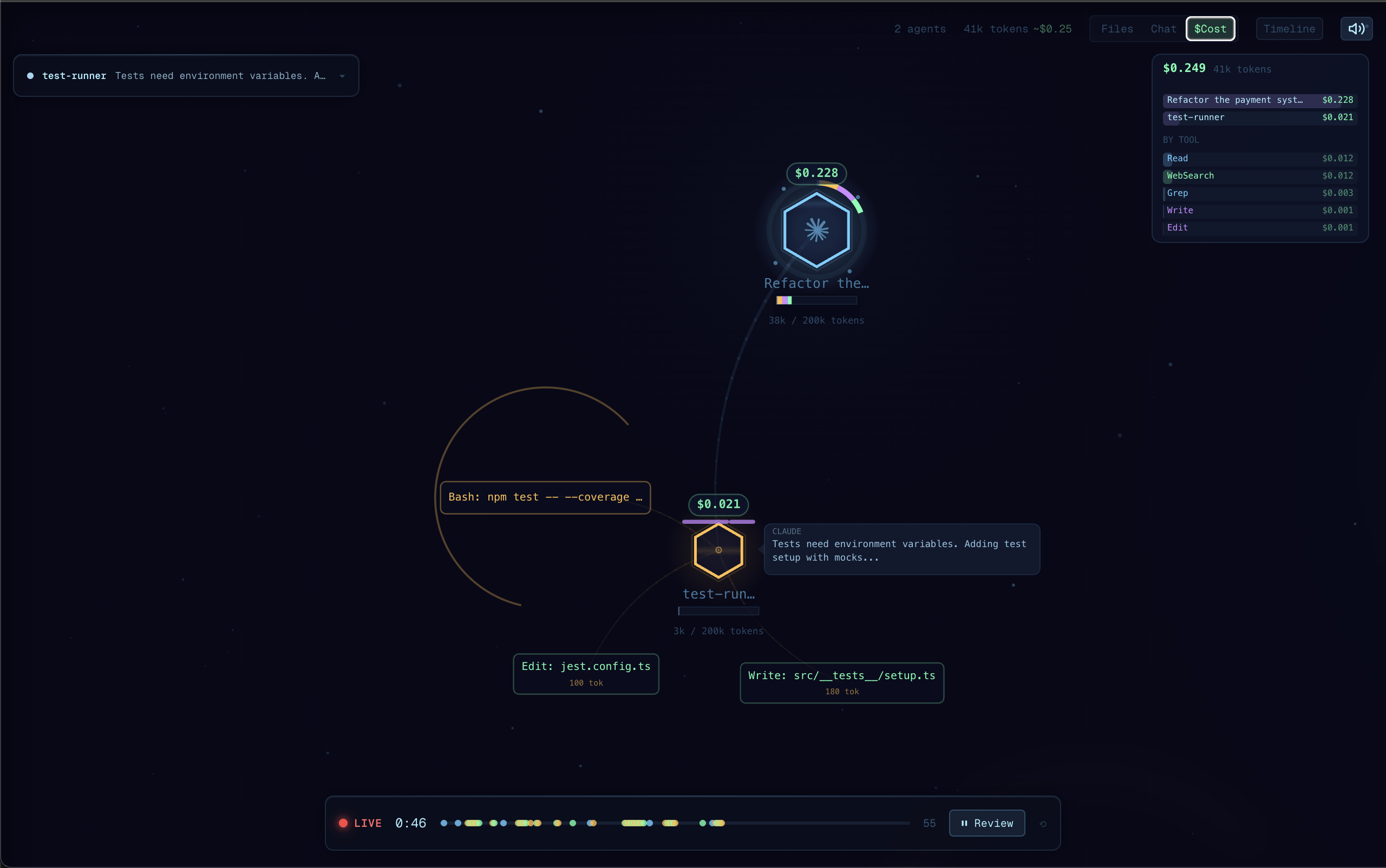
Claude Code is powerful, but its execution is a black box — you see the final result, not the journey. Agent Flow makes the invisible visible:
- Understand agent behavior — See how Claude breaks down problems, which tools it reaches for, and how subagents coordinate
- Debug tool call chains — When something goes wrong, trace the exact sequence of decisions and tool calls that led there
- See where time is spent — Identify slow tool calls, unnecessary branching, or redundant work at a glance
- Learn by watching — Build intuition for how to write better prompts by observing how Claude interprets and executes them
- Live agent visualization — Watch agent execution as an interactive node graph with real-time tool calls, branching, and return flows
- Auto-detect Claude Code sessions — Automatically discovers active Claude Code sessions in your workspace and streams events
- Claude Code hooks — Lightweight HTTP hook server receives events directly from Claude Code for zero-latency streaming
- Multi-session support — Track multiple concurrent agent sessions with tabs
- Interactive canvas — Pan, zoom, click agents and tool calls to inspect details
- Timeline & transcript panels — Review the full execution timeline, file attention heatmap, and message transcript
- JSONL log file support — Point at any JSONL event log to replay or watch agent activity
- Install the extension
- Open the Command Palette (
Cmd+Shift+P) and run Agent Flow: Open Agent Flow - Start a Claude Code session in your workspace — Agent Flow will auto-detect it
Agent Flow automatically configures Claude Code hooks the first time you open the panel. These forward events from Claude Code to Agent Flow for zero-latency streaming.
To manually reconfigure hooks, run Agent Flow: Configure Claude Code Hooks from the Command Palette.
You can also point Agent Flow at a JSONL event log file:
- Set
agentVisualizer.eventLogPathin your VS Code settings to the path of a.jsonlfile - Agent Flow will tail the file and visualize events as they arrive
| Command | Description |
|---|---|
Agent Flow: Open Agent Flow |
Open the visualizer panel |
Agent Flow: Open Agent Flow to Side |
Open in a side editor column |
Agent Flow: Connect to Running Agent |
Manually connect to an agent session |
Agent Flow: Configure Claude Code Hooks |
Set up Claude Code hooks for live streaming |
| Shortcut | Action |
|---|---|
Cmd+Alt+A (Mac) / Ctrl+Alt+A (Win/Linux) |
Open Agent Flow |
| Setting | Default | Description |
|---|---|---|
agentVisualizer.devServerPort |
0 |
Development server port (0 = production mode) |
agentVisualizer.eventLogPath |
"" |
Path to a JSONL event log file to watch |
agentVisualizer.autoOpen |
false |
Auto-open when an agent session starts |
- VS Code 1.85 or later
- For auto-detection: Claude Code CLI with active sessions
Created by Simon Patole, for CraftMyGame.
Apache 2.0 — see LICENSE for details.
The name "Agent Flow" and associated logos are trademarks of Simon Patole. See TRADEMARK.md for usage guidelines.