



A WordPress plugin for Djot markup language support. Convert Djot syntax to HTML in posts, pages, and comments.
Djot is a light markup syntax created by John MacFarlane (creator of CommonMark and Pandoc). It aims to be a successor to Markdown with cleaner syntax and more consistent parsing rules.
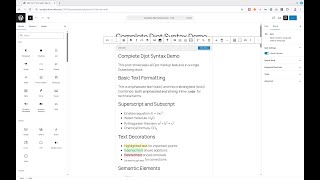
- Full Djot Support: Headings, emphasis, links, images, code blocks, tables, footnotes, and more
- Block Editor Support: Native Gutenberg block for writing Djot with live preview
- Shortcode Support: Use
[djot]...[/djot]in your content - Table of Contents: Automatic TOC generation from headings with configurable levels and position
- Heading Permalinks: Clickable
#symbols on headings (show on hover, copy URL to clipboard) - Content Profiles: Configurable feature restrictions (full, article, comment, minimal)
- Safe Mode: XSS protection for untrusted content
- Syntax Highlighting: Server-side highlighting with Torchlight Engine
- Code Block Enhancements: Line numbers and line highlighting (VitePress-style syntax)
- WP-CLI Migration: Migrate existing HTML/Markdown content to Djot
# Welcome to My Blog

This is _emphasized_ and this is *strong*.

Here's a [link to Djot](https://djot.net/) and some `inline code`.

- First item
- Second item
- Third item

> A blockquote with some wisdom.

And a code block:

``` php
<?php
echo "Hello, World!";
```
Renders as:
This is emphasized and this is strong.
Here's a link to Djot and some
inline code.
- First item
- Second item
- Third item
A blockquote with some wisdom.
<?php
echo "Hello, World!";
- PHP 8.2 or higher
- WordPress 6.0 or higher
Search for "Djot Markup" in the WordPress plugin directory, or visit: wordpress.org/plugins/djot-markup
cd wp-content/plugins
git clone https://github.com/php-collective/wp-djot.git
cd wp-djot
composer install --no-dev- Usage & Configuration - Getting started guide
- Content Profiles - Configure feature restrictions
- Customization - Custom patterns, @mentions, render handlers
- WP-CLI Commands - Migrate existing content
- Hooks and Filters - Customize plugin behavior
- Djot Syntax - Quick reference
For complete Djot syntax documentation, visit djot.net.
- Djot - Official Djot website with syntax reference and playground
- jgm/djot - Reference implementation in JavaScript by John MacFarlane
- JetBrains IDE support - Plugin for PhpStorm, IntelliJ IDEA, WebStorm, etc.
- Djot playground - Live demo to check out how this markup language works.
- djot-php by PHP Collective
- Torchlight Engine for syntax highlighting
- djot-grammars for Djot syntax highlighting in code blocks
See CHANGELOG.md for version history.