
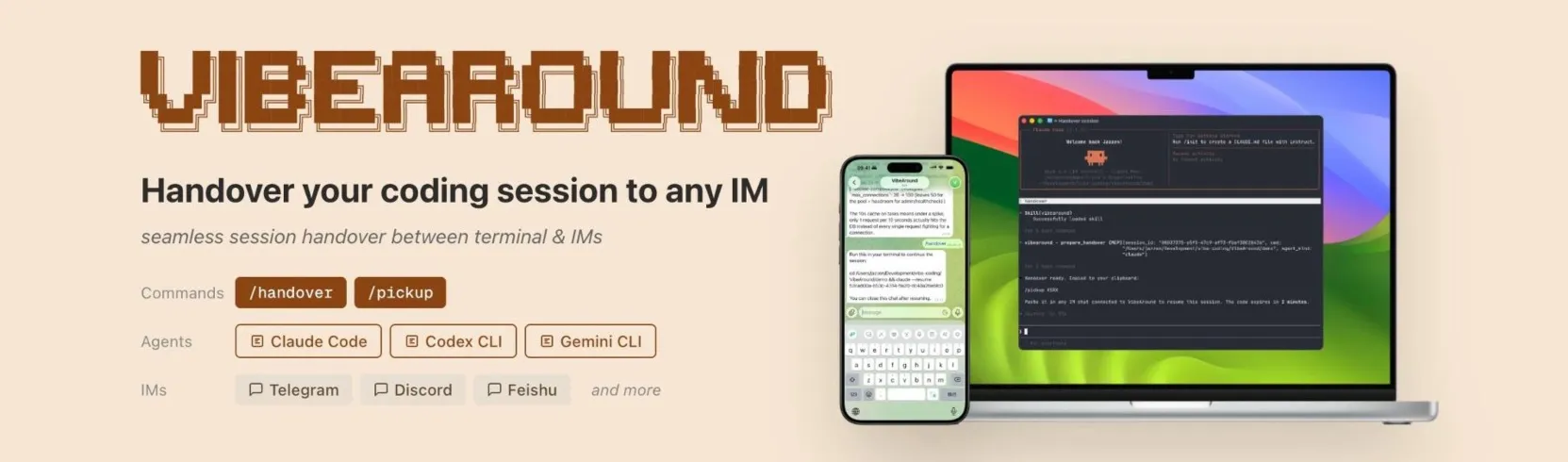
Unified runtime for AI coding agents — terminal, browser, phone, or chat.


VibeAround is a unified runtime for AI coding agents. It connects real agents (Claude Code, Gemini CLI, Codex CLI, Cursor CLI, Kiro CLI, Qwen Code, OpenCode) to every surface you use: desktop, browser, Telegram, Feishu, Discord, Slack, WeChat, DingTalk, WeCom, and QQ. Not a wrapper — a runtime with full streaming, tool use, and thinking display.
Start a task with Claude Code on your Mac, hand it over to Telegram on your phone, continue the conversation with full context, and hand it back when you're at your desk.
- Web terminal — full PTY-based terminal in the browser with tmux integration, run shell sessions alongside agent chat
- Session handover — hand off a coding session from any agent to any IM channel and continue on your phone
- Agent switching —
/switch claude,/switch codex,/switch cursormid-conversation from any channel - Web dashboard — terminals, tmux, and agent chat at
localhost:12358 - IM channels — Telegram, Feishu, Discord, Slack, WeChat, DingTalk, WeCom, QQ Bot — each a standalone plugin
- Desktop app — onboarding with install progress, service monitoring, workspace management, system tray
- Multi-workspace — manage project folders, set defaults, switch contexts
- Tunnel access — expose your dashboard via Cloudflare Tunnel, Ngrok, or Localtunnel
All agents communicate via ACP (Agent Client Protocol) over stdio. npm-based agents are auto-installed on first use. CLI-based agents (Cursor, Kiro, Qwen, OpenCode) must be installed by the user.
| Agent | ACP | Session Handover |
|---|---|---|
| Claude Code | Working | Supported |
| Gemini CLI | Working | Supported |
| Codex CLI | Working | Supported |
| Cursor CLI | Working | Supported |
| Kiro CLI | Working | Supported |
| Qwen Code | Working | Supported |
| OpenCode | Working | Not supported |
Each channel is a standalone Node.js plugin built with @vibearound/plugin-channel-sdk.
| Channel | Auth | DM | File/Image | Streaming | Slash Commands | Status |
|---|---|---|---|---|---|---|
| Telegram | Bot token | Yes | Yes | Yes | /command |
Working |
| Feishu / Lark | App credentials | Yes | Yes | Yes (cards) | /command |
Working |
| Discord | Bot token | Yes | Yes | Yes | /command |
Working |
| Slack | Bot + App token | Yes | Yes | Yes | /va, /vibearound |
Working |
| QR code login | Yes | No | No | /command |
Working | |
| DingTalk | AppKey + Secret | Yes | No | No | /command |
Working |
| WeCom (企业微信) | Bot ID + Secret | Yes | No | Yes (markdown) | /command |
Working |
| QQ Bot (QQ频道) | App ID + Token | Yes | No | No | /command |
Working |
| Command | Description |
|---|---|
/help |
Show available commands |
/new |
Reset session (new conversation) |
/switch <agent> |
Switch agent (claude, gemini, codex, cursor, kiro, qwen-code, opencode) |
/profile <name> |
Switch profile |
/close |
Close conversation |
/pickup <code> |
Resume a coding agent session |
/handover |
Export session to a coding agent CLI |
| Command | Description |
|---|---|
/agent <command> |
Send a slash command to the agent (e.g. /agent status) |
In Slack, the / prefix is intercepted by the client. Use /va or /vibearound instead:
| Slack command | Equivalent |
|---|---|
/va help |
/help |
/va switch claude |
/switch claude |
/va agent status |
/agent status |
/va new |
/new |
| Tool | Version | Install |
|---|---|---|
| Rust | 1.82+ | rustup.rs |
| Node.js | 20+ | nodejs.org |
| Bun | 1.1+ | bun.sh |
| npm | 10+ | Included with Node.js |
macOS only. Xcode Command Line Tools required:
xcode-select --installcd src
bun install
bun run prebuild
bun run dev- Desktop app opens with onboarding wizard
- Choose agents, configure channels, set up tunnel
- Web dashboard at
http://127.0.0.1:12358 - Start coding through terminals, chat, or IM channels
Hand off your coding session to any connected IM channel — works with Claude Code, Gemini CLI, Codex CLI, Cursor CLI, Kiro CLI, and Qwen Code:
you (terminal)  > /handover
Agent           > Handover ready. Copied to clipboard:
                  /pickup V5RX
                  Paste it in any IM chat connected to VibeAround.
                  The code expires in 2 minutes.
Paste the /pickup command in Telegram, Feishu, Discord, Slack, or WeChat — continue the conversation with full context. When you're done, /handover again to return the session to your terminal.
┌─────────────┐  ┌─────────────┐  ┌─────────────┐
│  Desktop    │  │    Web      │  │  IM Channel │
│  (Tauri)    │  │  Dashboard  │  │  Plugins    │
└──────┬──────┘  └──────┬──────┘  └──────┬──────┘
       │                │                │
       └────────────────┼────────────────┘
                        │
              ┌─────────┴─────────┐
              │   Rust Runtime    │
              │  ┌─────────────┐  │
              │  │  ACP Hub    │  │   ← routes prompts to agents
              │  │  (per-route │  │
              │  │   ACPPod)   │  │
              │  └──────┬──────┘  │
              │         │         │
              │  ┌──────┴──────┐  │
              │  │Agent Factory│  │   ← spawns Claude/Gemini/Codex/Cursor/Kiro/Qwen/OpenCode
              │  └─────────────┘  │
              │                   │
              │  ┌─────────────┐  │
              │  │ PTY Manager │  │   ← terminal sessions + tmux
              │  └─────────────┘  │
              └───────────────────┘
All config lives in ~/.vibearound/settings.json:
{
  "default_agent": "claude",
  "enabled_agents": ["claude", "gemini", "opencode", "codex", "cursor", "kiro", "qwen-code"],
  "workspaces": ["/path/to/your/project"],
  "channels": {
    "telegram": { "bot_token": "..." },
    "feishu": { "app_id": "...", "app_secret": "..." },
    "discord": { "bot_token": "..." },
    "slack": { "bot_token": "xoxb-...", "app_token": "xapp-..." }
  },
  "tunnel": {
    "provider": "cloudflare",
    "cloudflare": { "tunnel_token": "...", "hostname": "..." }
  }
}Build your own channel plugin:
npm install @vibearound/plugin-channel-sdkSee the SDK README for the full guide.
VibeAround is actively evolving and usable for daily work.
| Channel | Status |
|---|---|
| LINE | In development |
| Microsoft Teams | In development |
- Multi-project workspace switching and persistence
- Per-workspace agent and channel configuration
- Workspace-level session history and context