
 Doc Summary

हाँ तुम कर सकते हो प्रतिक्रिया प्रतिक्रिया अक्षम करें that appear in Single doc pages in BetterDocs. To do that, simply just go to wp-admin → BetterDocs → Settings → Design tab. Then, click on the ‘Customize in BetterDocs’ option under the ‘Legacy Customizer’ section.
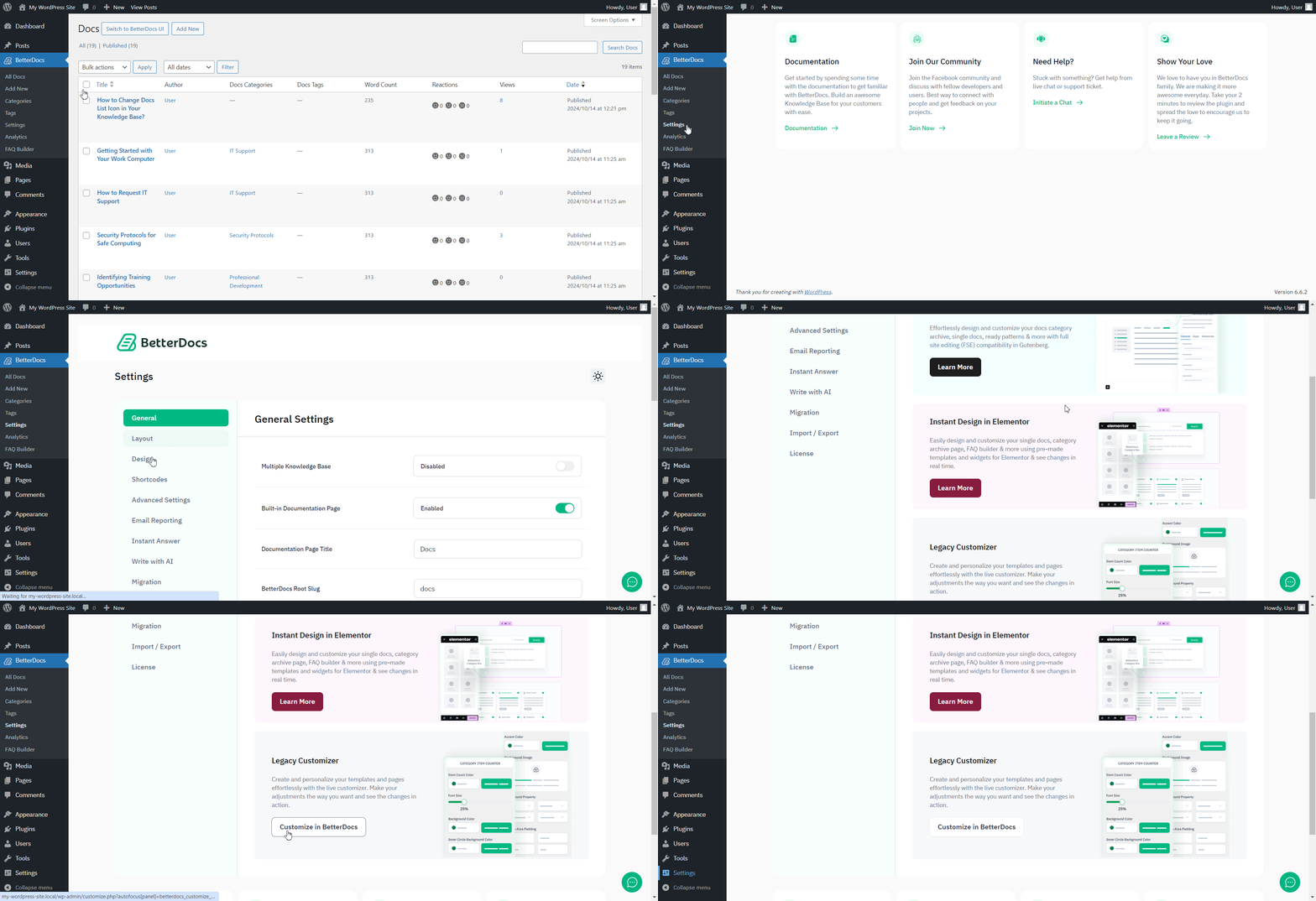
इस पर क्लिक करने के बाद, नेविगेट करें BetterDocs → Single Doc → Reactions अनुभाग और इसे निष्क्रिय करने के लिए टॉगल पर क्लिक करें। प्रतिक्रिया emojis will no longer appear in the BetterDocs single doc page as a result.
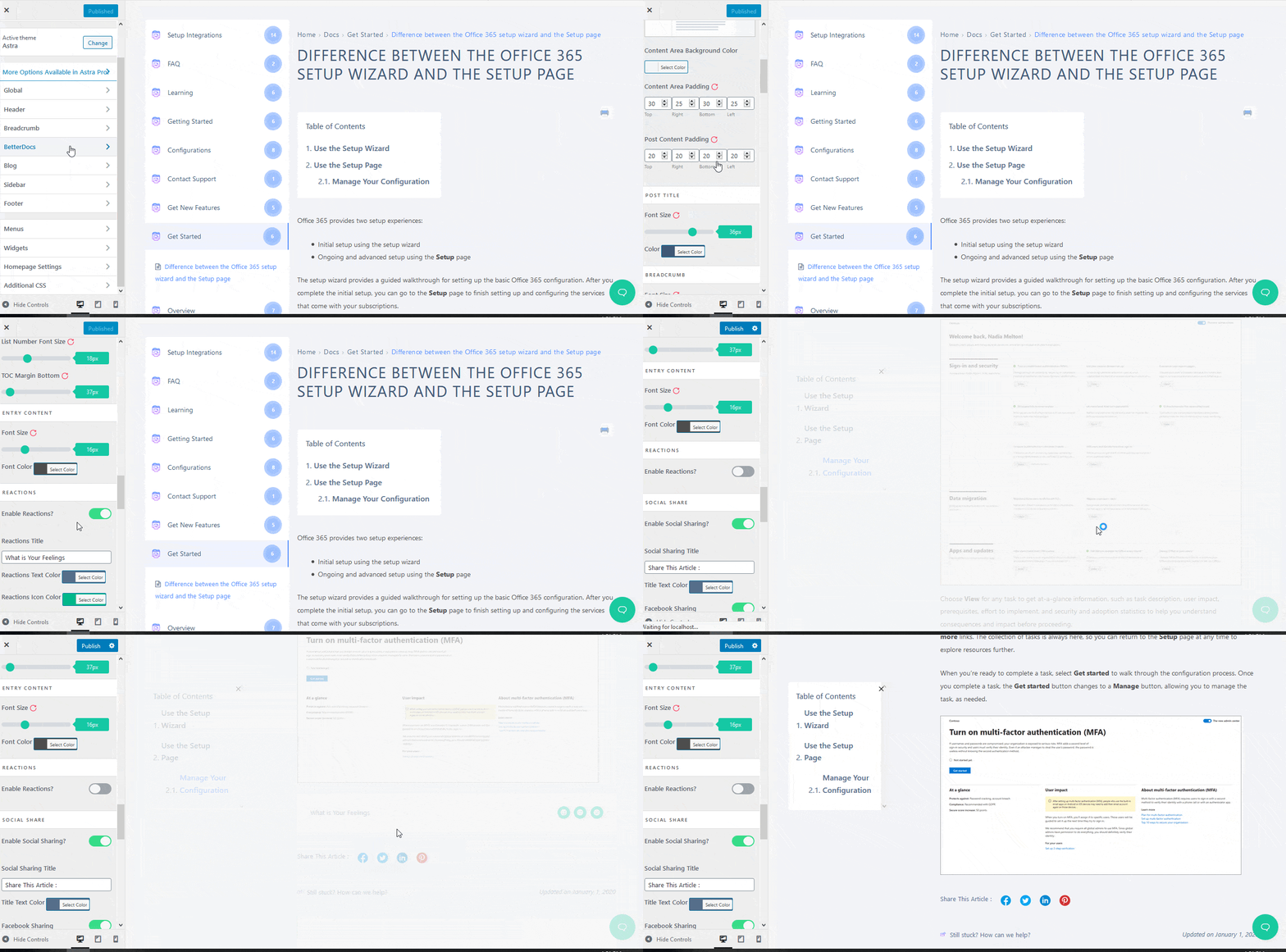
This is how you can enable and disable feedback emojis in BetterDocs. Feel free to reach out to our dedicated support team और हम आपके प्रश्नों में मदद करेंगे।


