
 Doc Summary

BetterDocs vă oferă o integrare perfectă cu Elementor. Acum puteți să vă proiectați Doc unic în Elementor fără nicio codificare utilizând Elementor Theme Builder. Odată ce ați proiectat un șablon pentru pagina dvs. Doc unic, îl puteți salva și apoi îl puteți refolosi din nou pentru fiecare pagină de documentare unică.
Notă: Elementor Theme Builder este o caracteristică care este disponibilă numai cu Elementor Pro. Deci, pentru a configura Doc unic în Elementor, you must have the Pro version of Elementor installed and activated.
Urmați aceste instrucțiuni pas cu pas pentru a afla cum puteți utiliza BetterDocs pentru a vă proiecta singurul document în Elementor.
Step 1: Create a New Single Doc in Elementor Theme Builder #
Navigheaza catre Tablou de bord WordPress → Templates → Theme Builder din tabloul de bord WordPress. Faceți clic pe 'Adăuga nou' button and select ‘Doc. Unic’ as your template type. Choose any template and click on the ‘Insert’ button. Your new template will now open in the Elementor editor.
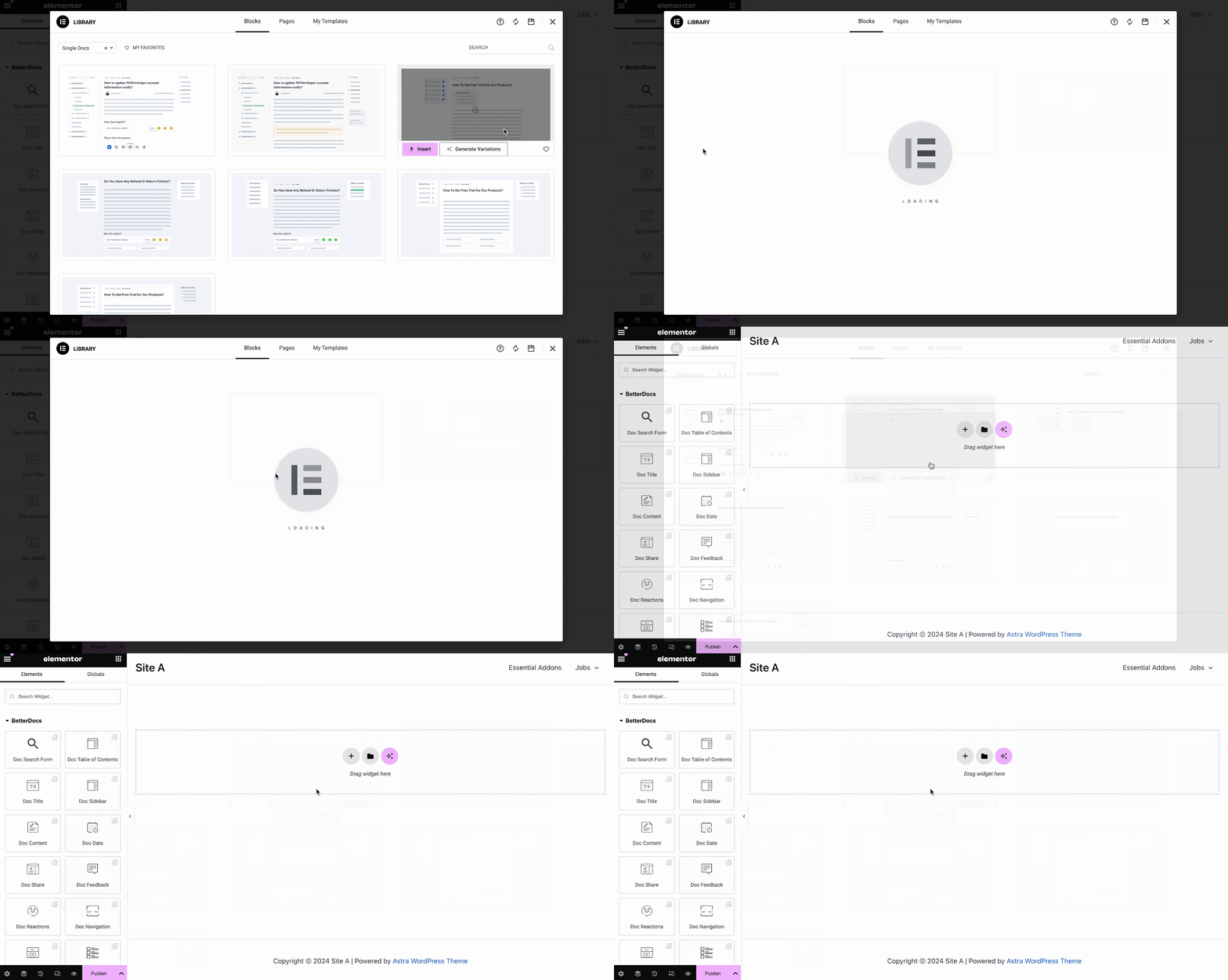
You can use BetterDocs premade-ready widgets to instantly create your single doc page. Or you can customize your single doc page from scratch by configuring different elements as shown in the next step.
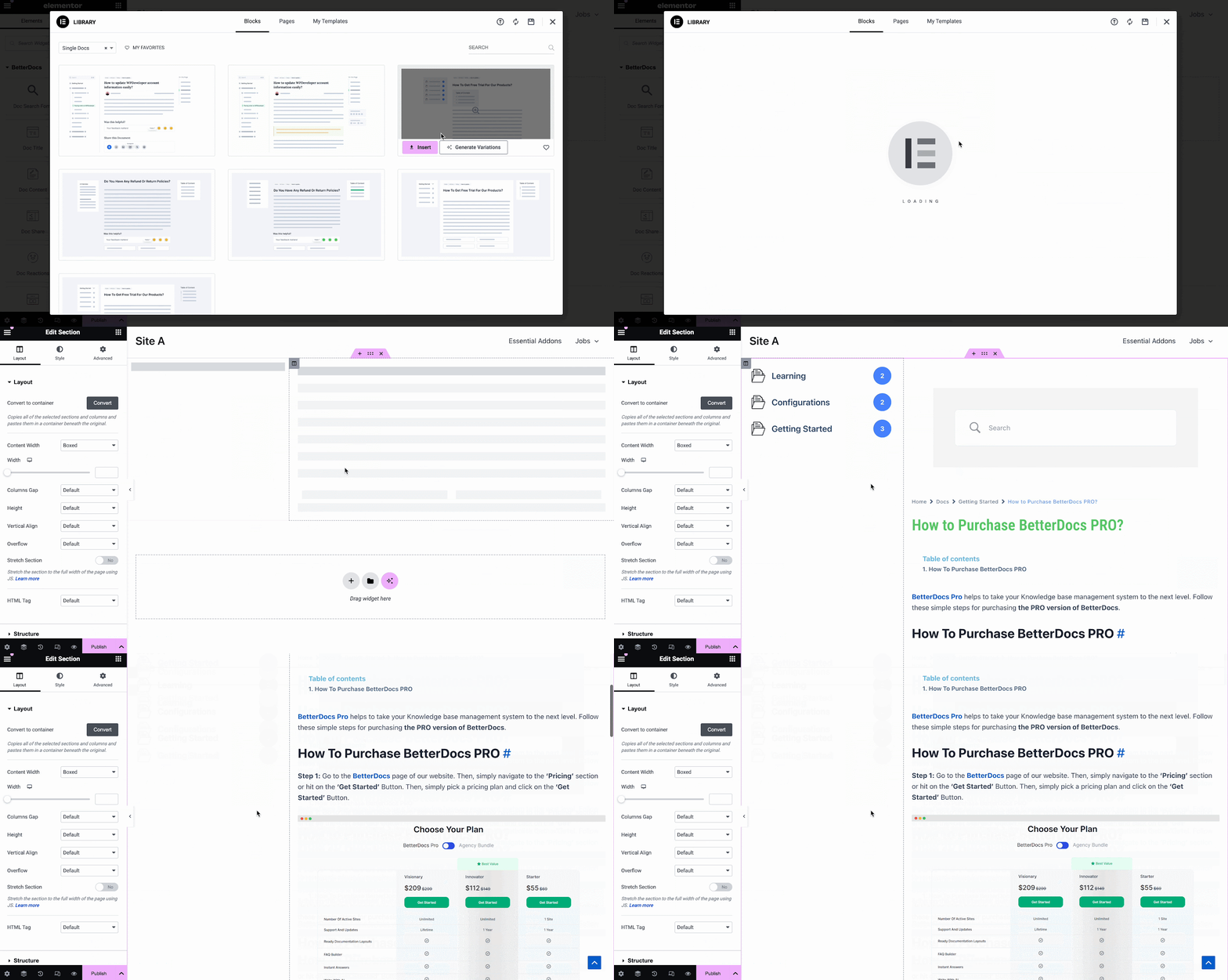
Step 2: Customize Single Doc in Elementor #
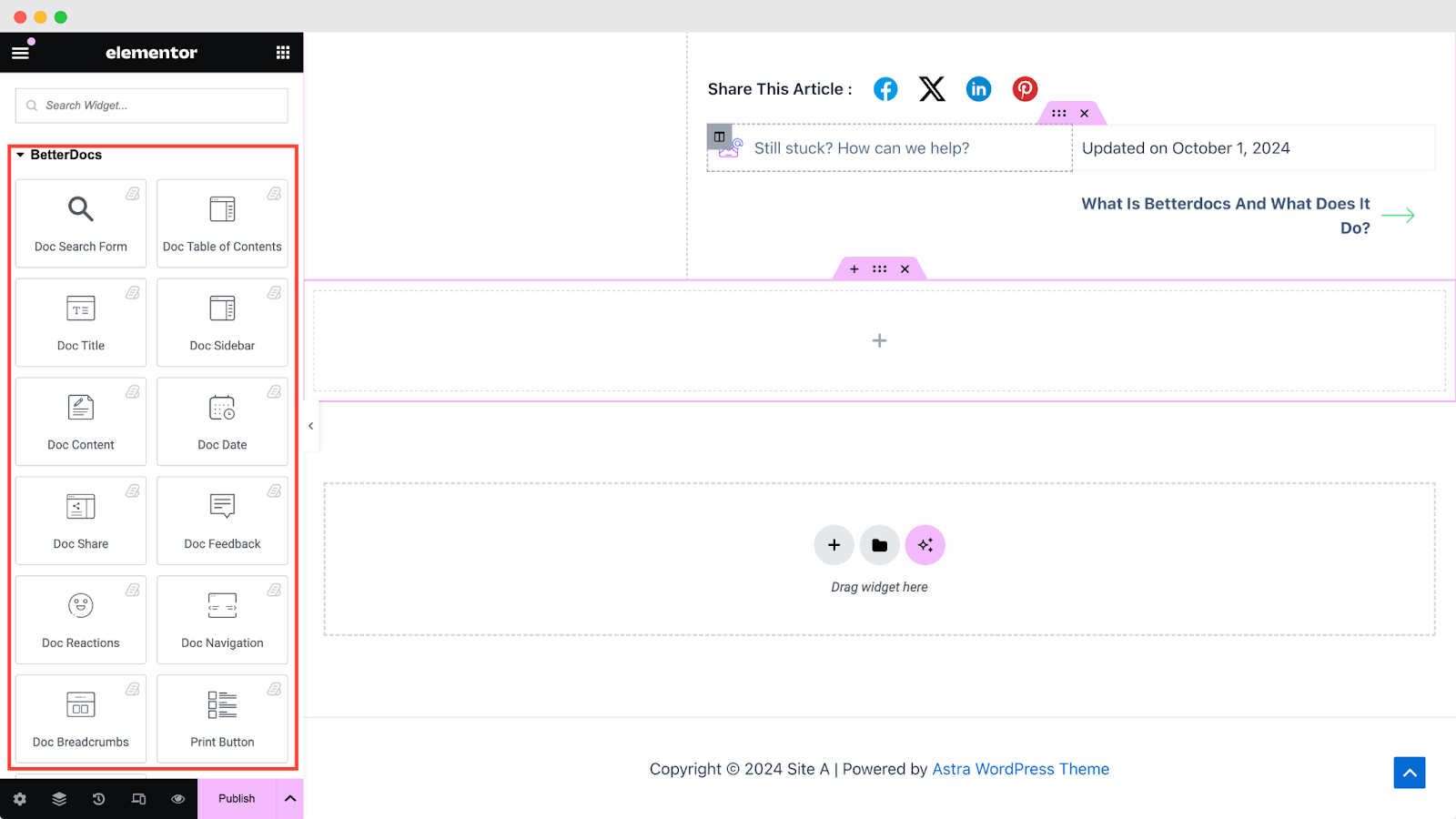
De la „ELEMENTE” tab in Elementor Editor, you should see 12 BetterDocs elements to design your Single Doc page template. You can drag and drop these elements anywhere on your page to use them.
Formular de căutare doc #
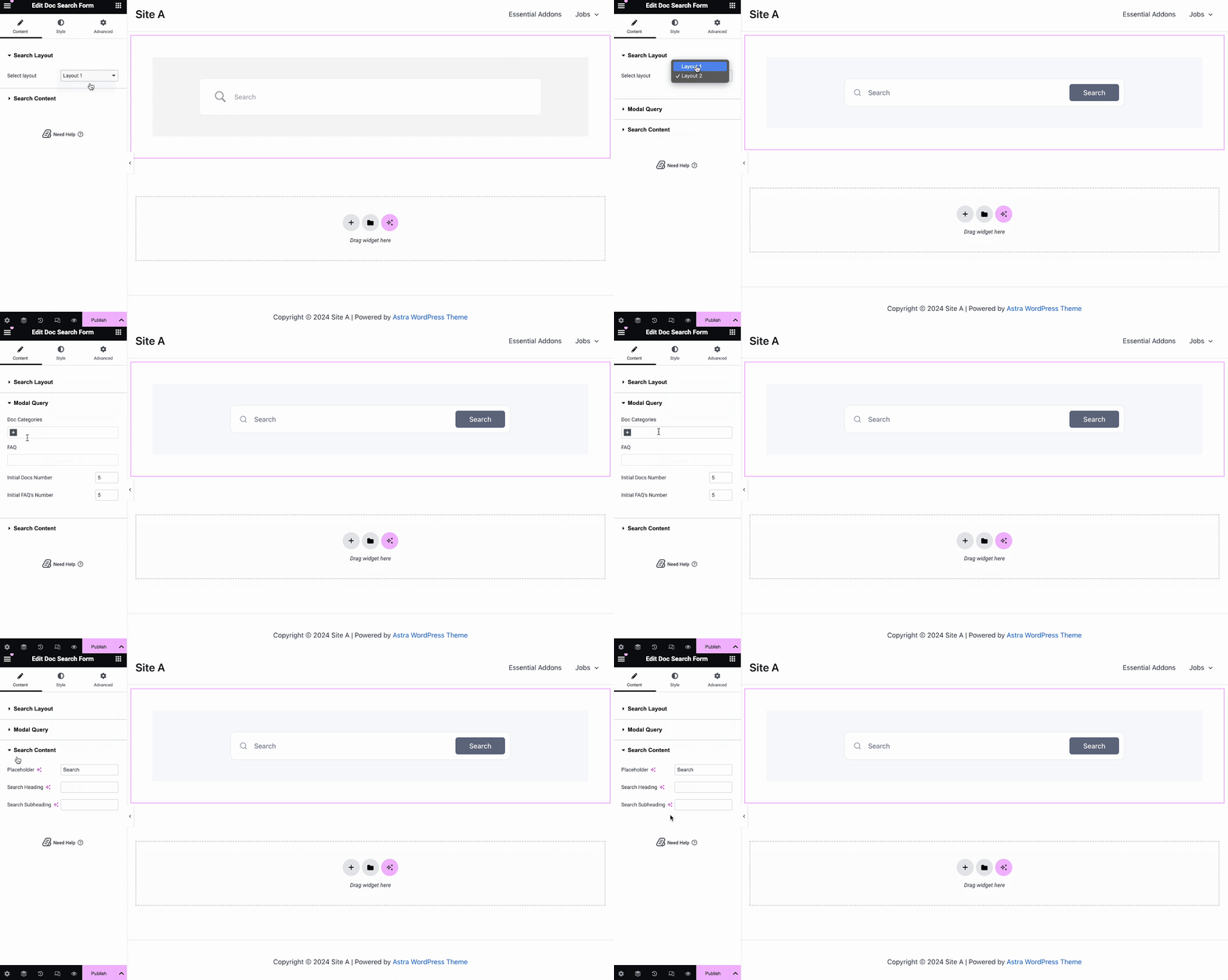
The Formular de căutare doc element vă permite să adăugați o bară de căutare live la Doc. Unic page. To use this element, simply drag and drop it into any section of your page. Then, the element will appear on your page by default as shown below.
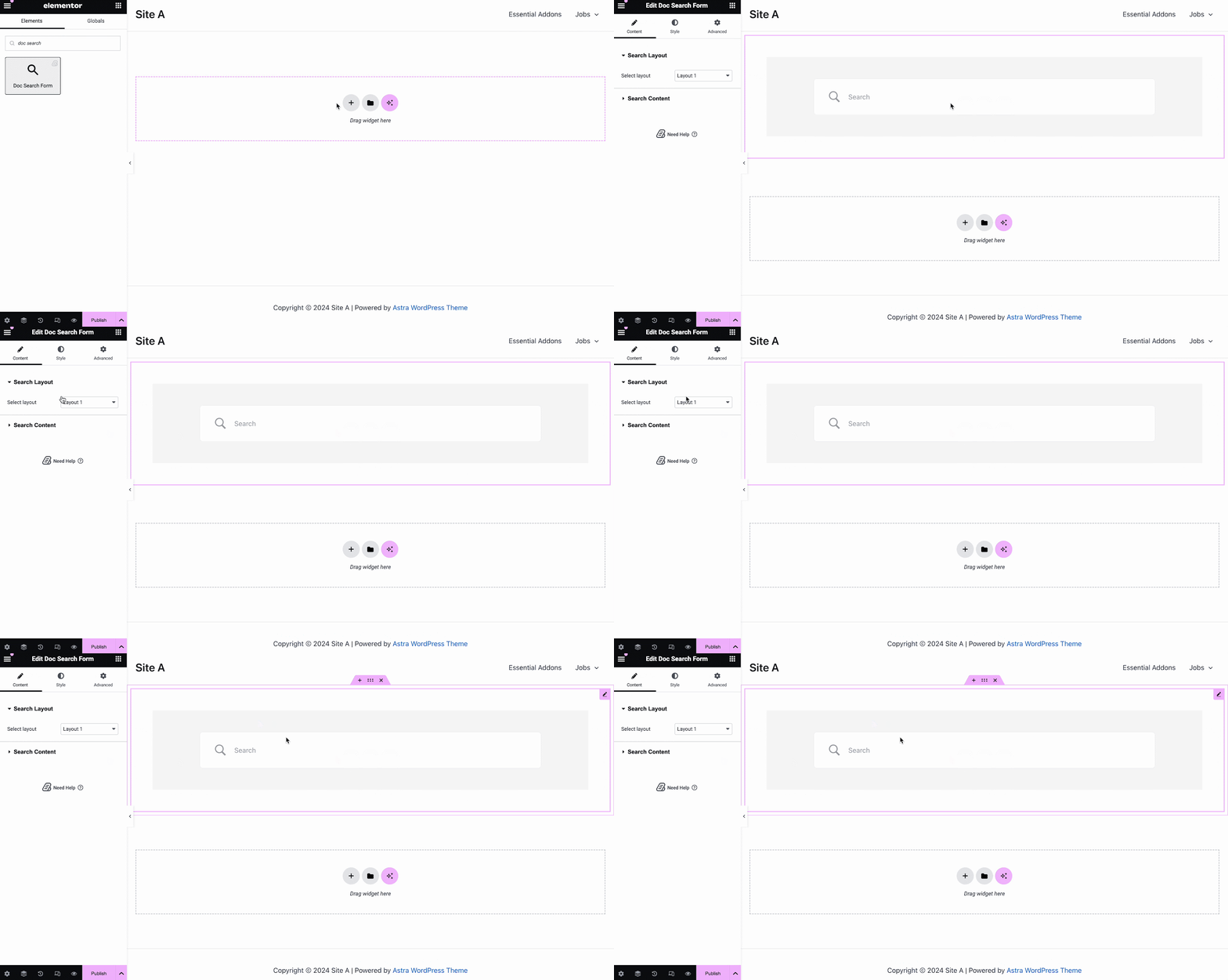
De la 'Conţinut' tab, you can choose one from two templates and customize your Formular de căutare doc. If you choose Layout 2, you will have another option to configure Modal Query, where you can set doc categories, FAQ, doc numbers, etc.
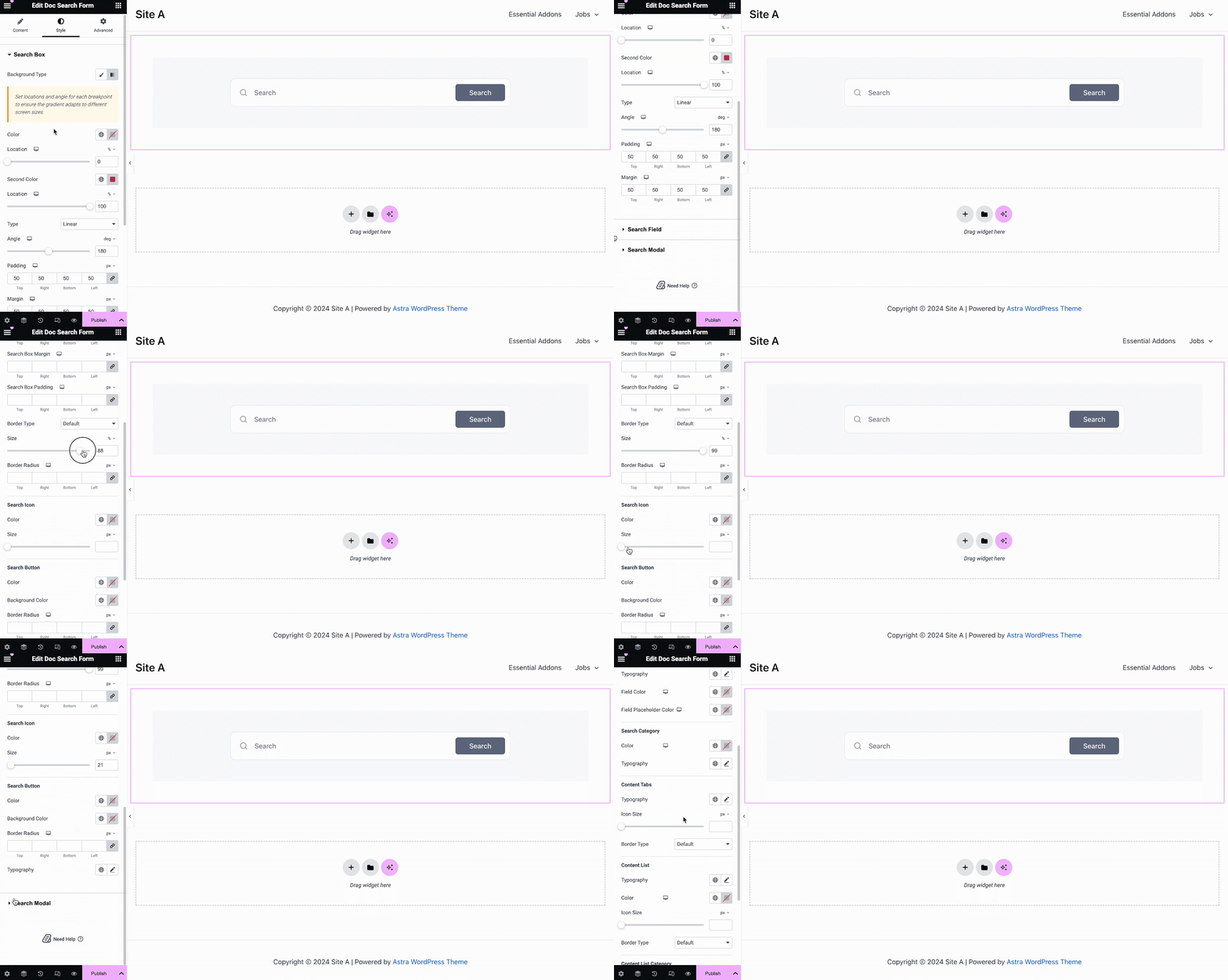
Sub 'Stil' tab, you will see options for changing the background type and color of the „Casetă de căutare” items. You can use images, solid colors, or gradient colors for your background.
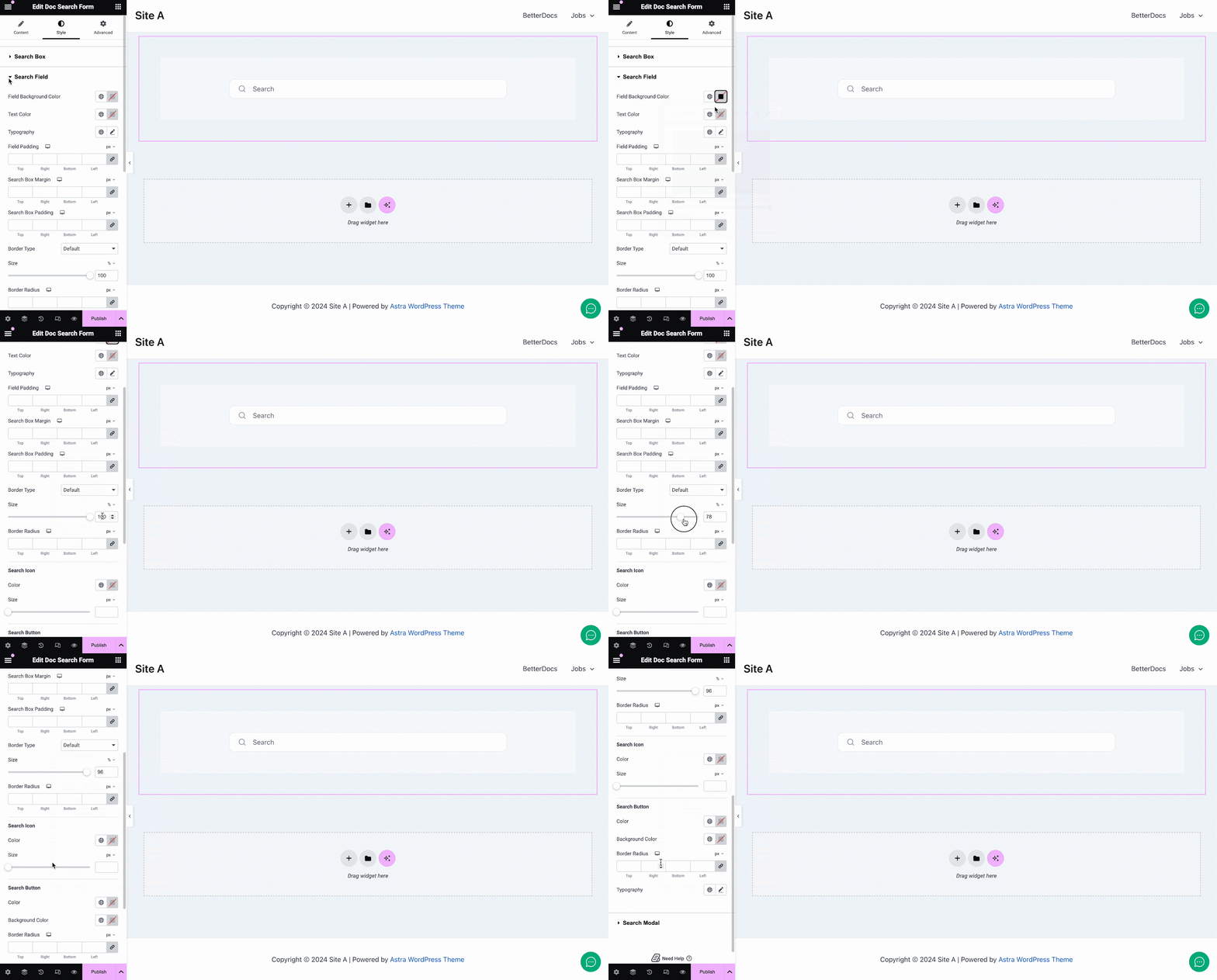
În mod similar, sub „Căutare câmp” section, you have the option to change the field background color, field color, typography, padding, icons and much more. Plus, on the ‘Search Modal’ tab, you will have customization options for the search field, search category, content tab, content list, and more.
Titlul doc #
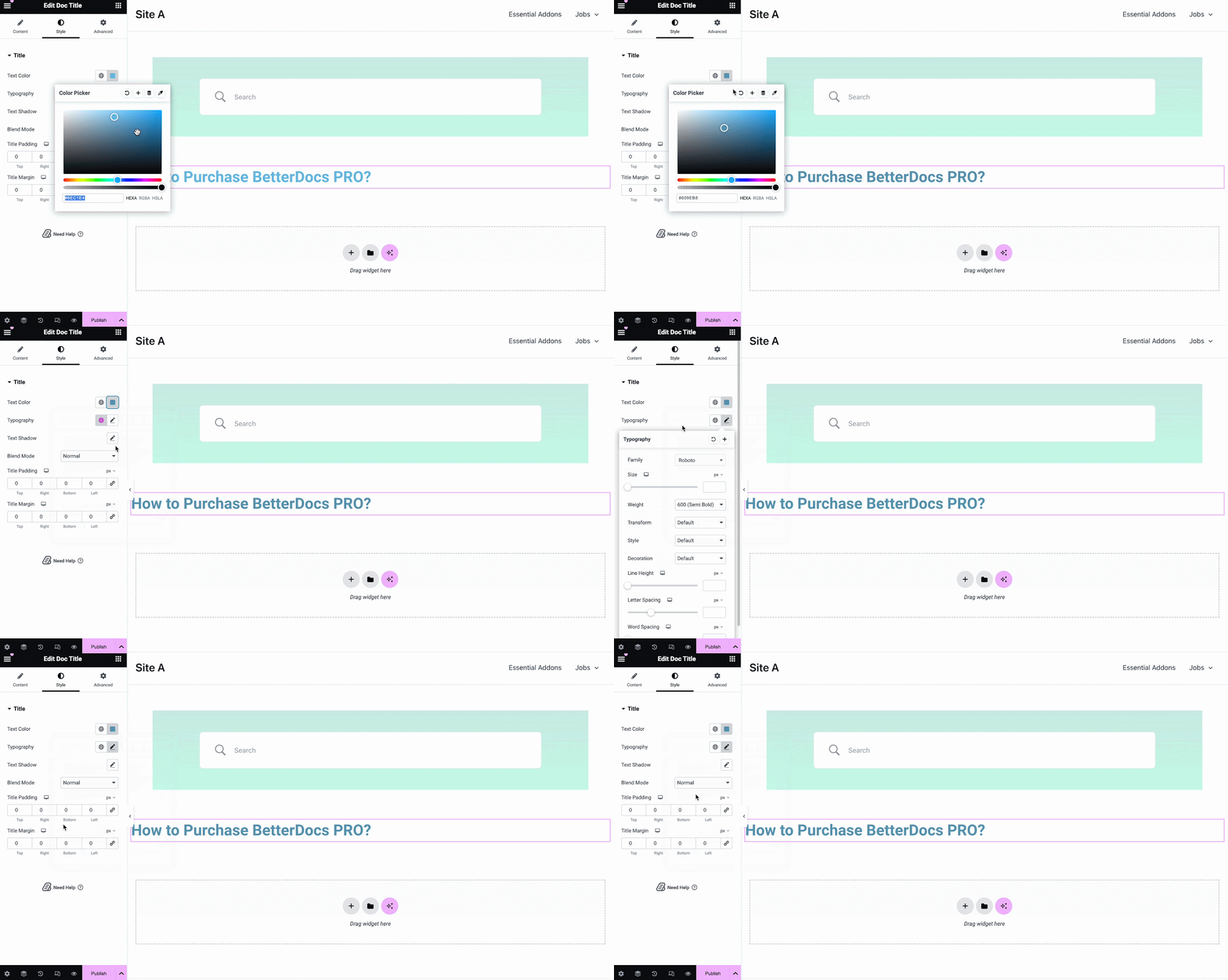
The Titlul doc element adaugă dinamic titlul Doc unic în Elementor. De la 'Conţinut' tab, you can customize the title, link, html tag, and alignment.
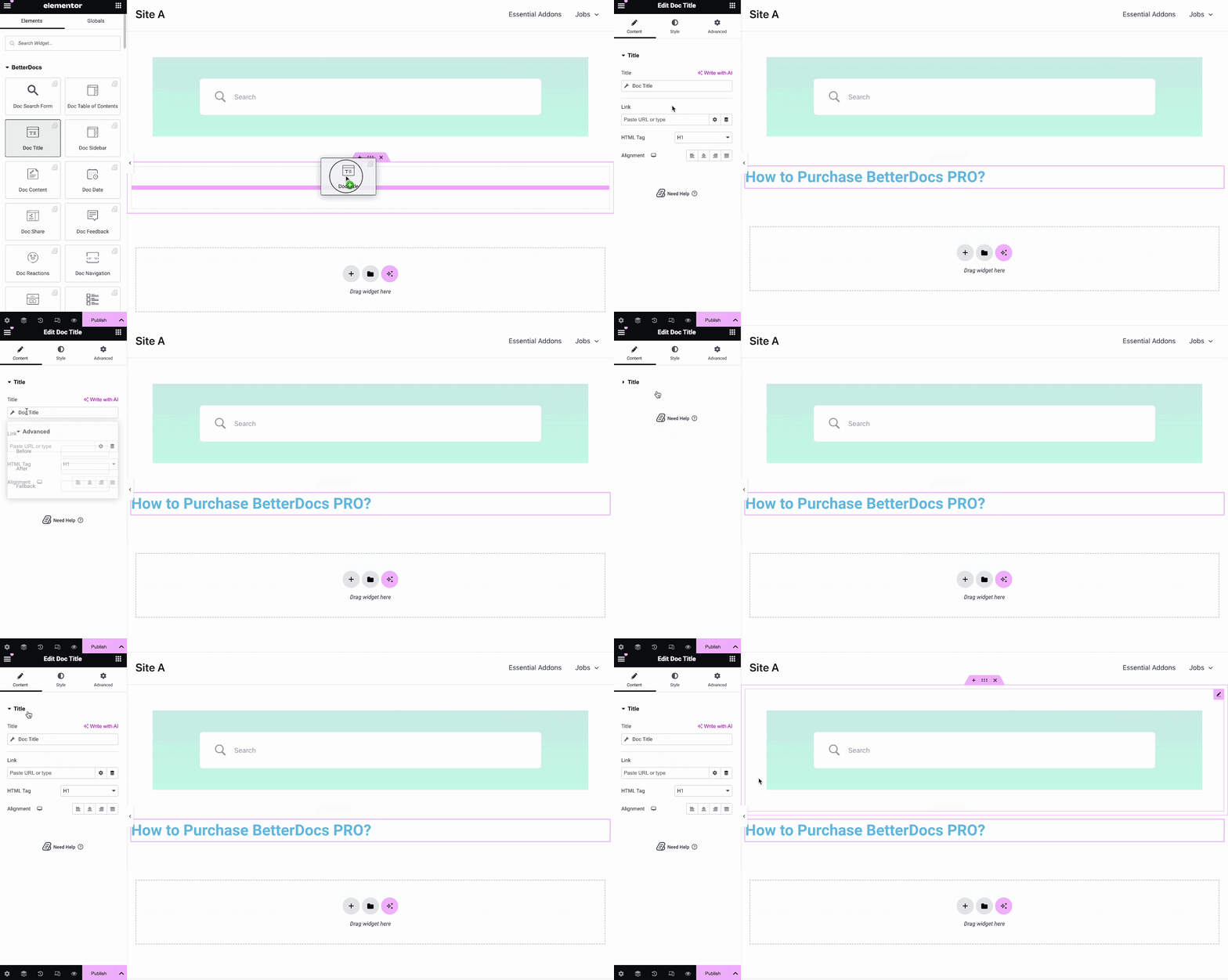
De la 'Stil' filă puteți schimba culoarea titlului, tipografia, modul de amestecare și chiar adăugați text-umbră.
Doc Table of Contents #
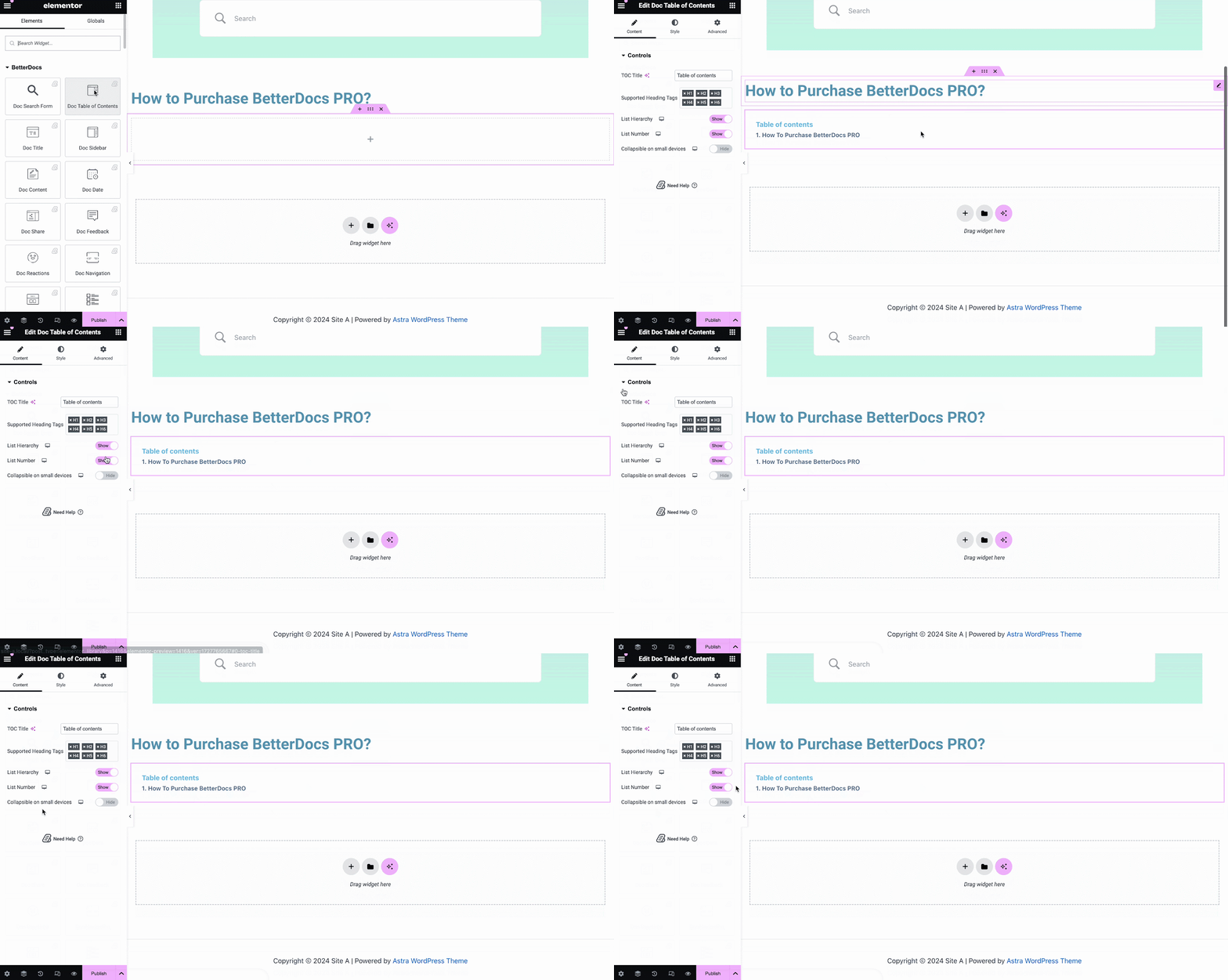
With the ‘Doc Table of Contents’ widget, you can customize the title, heading tags, hierarchy, list number and more on the Content tab, as shown below.
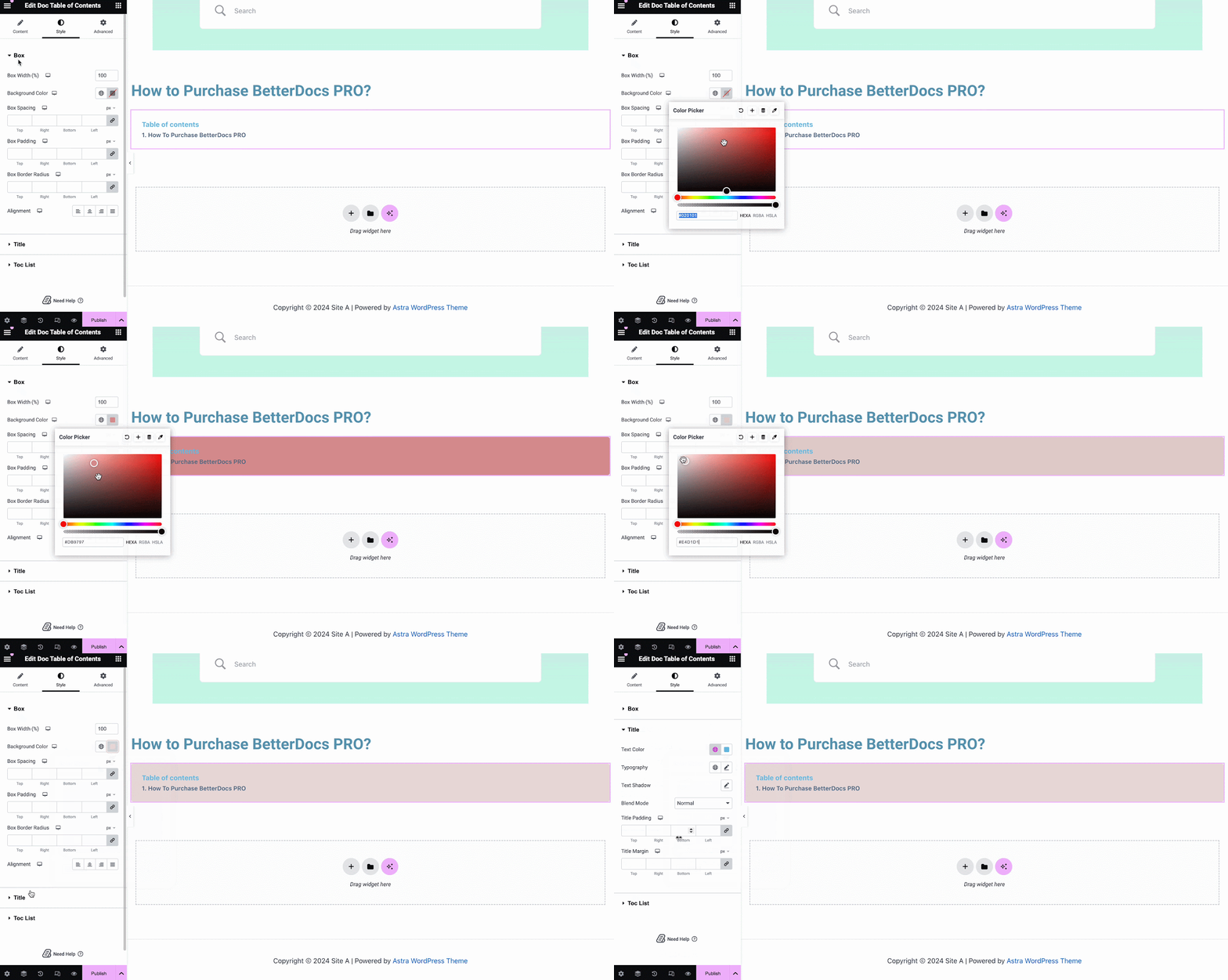
On the ‘Style’ tab, you can customize contents of the Box, Title, Toc list with the color, margin, padding, typography options.
Conținut doc #
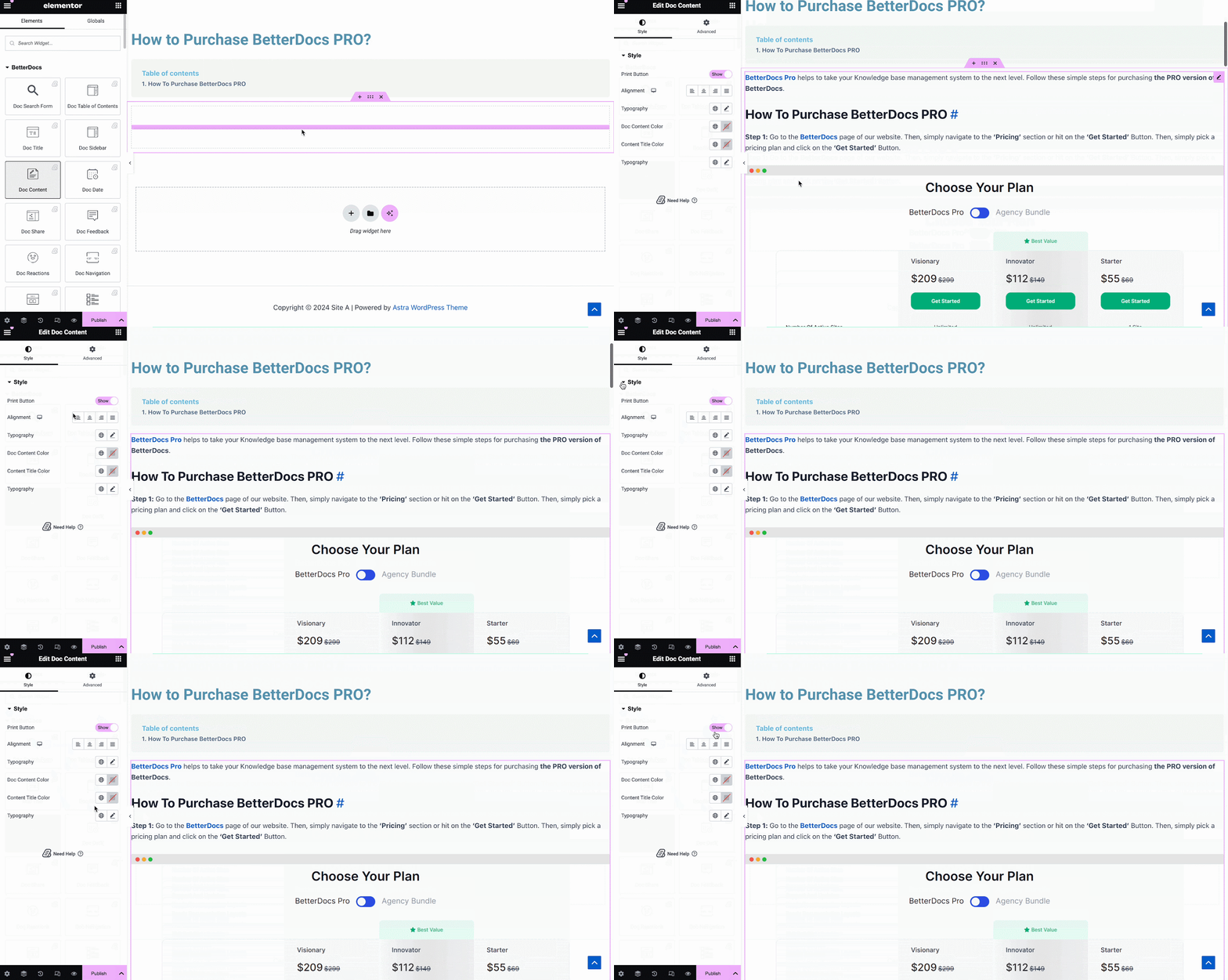
Puteți trage și plasa fișierul Conținut doc element oriunde în pagina dvs. Doc unic. Conținutul documentației dvs. va fi adăugat automat. Apoi puteți schimba alinierea, culoarea textului și tipografia de sub 'Stil' filă așa cum se arată mai jos.
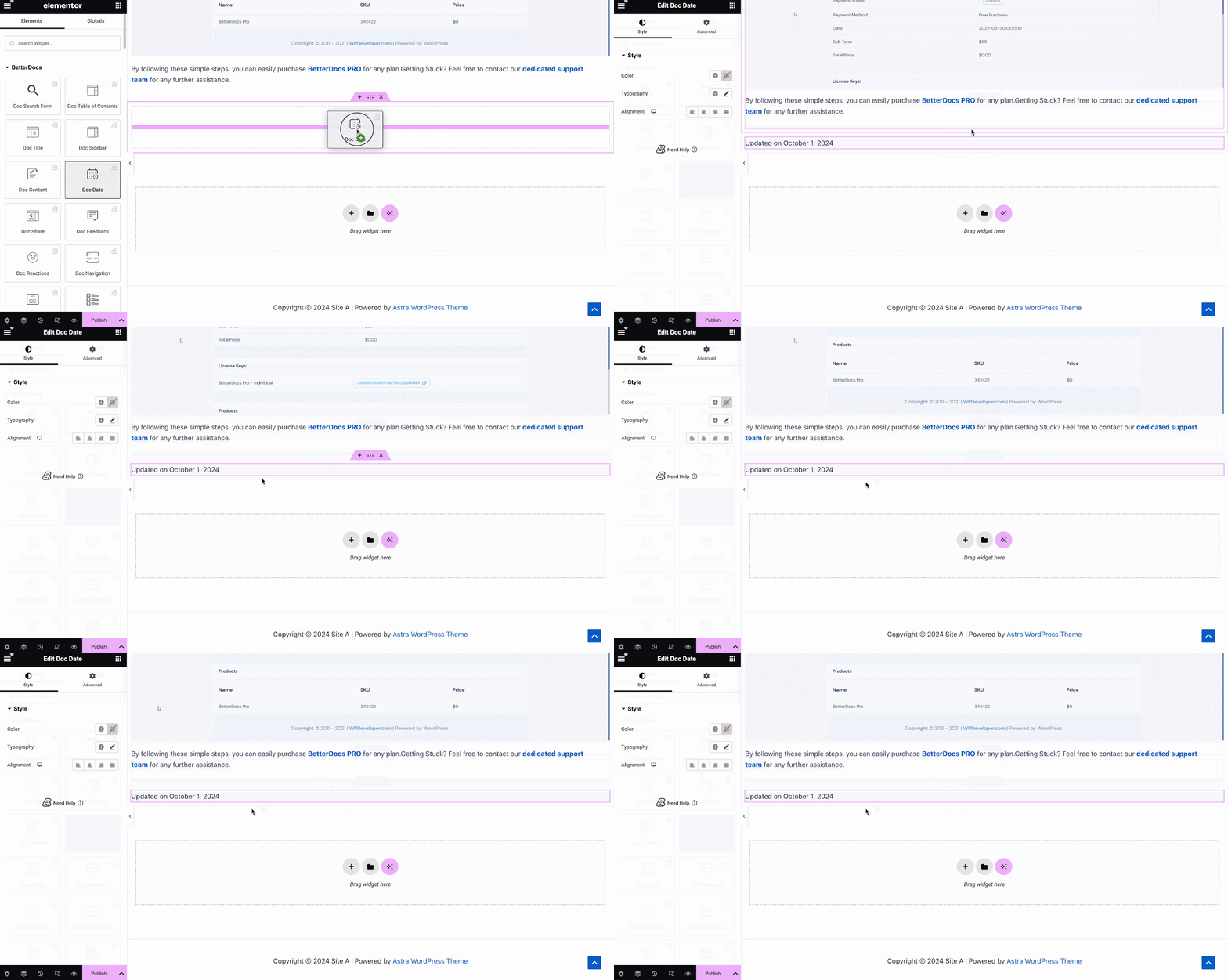
Data Doc #
The Data Doc element vă permite să afișați automat data la care documentația a fost actualizată. Puteți schimba culoarea, alinierea și tipografia datei de sub 'Stil' tab.
Bara laterală Doc #
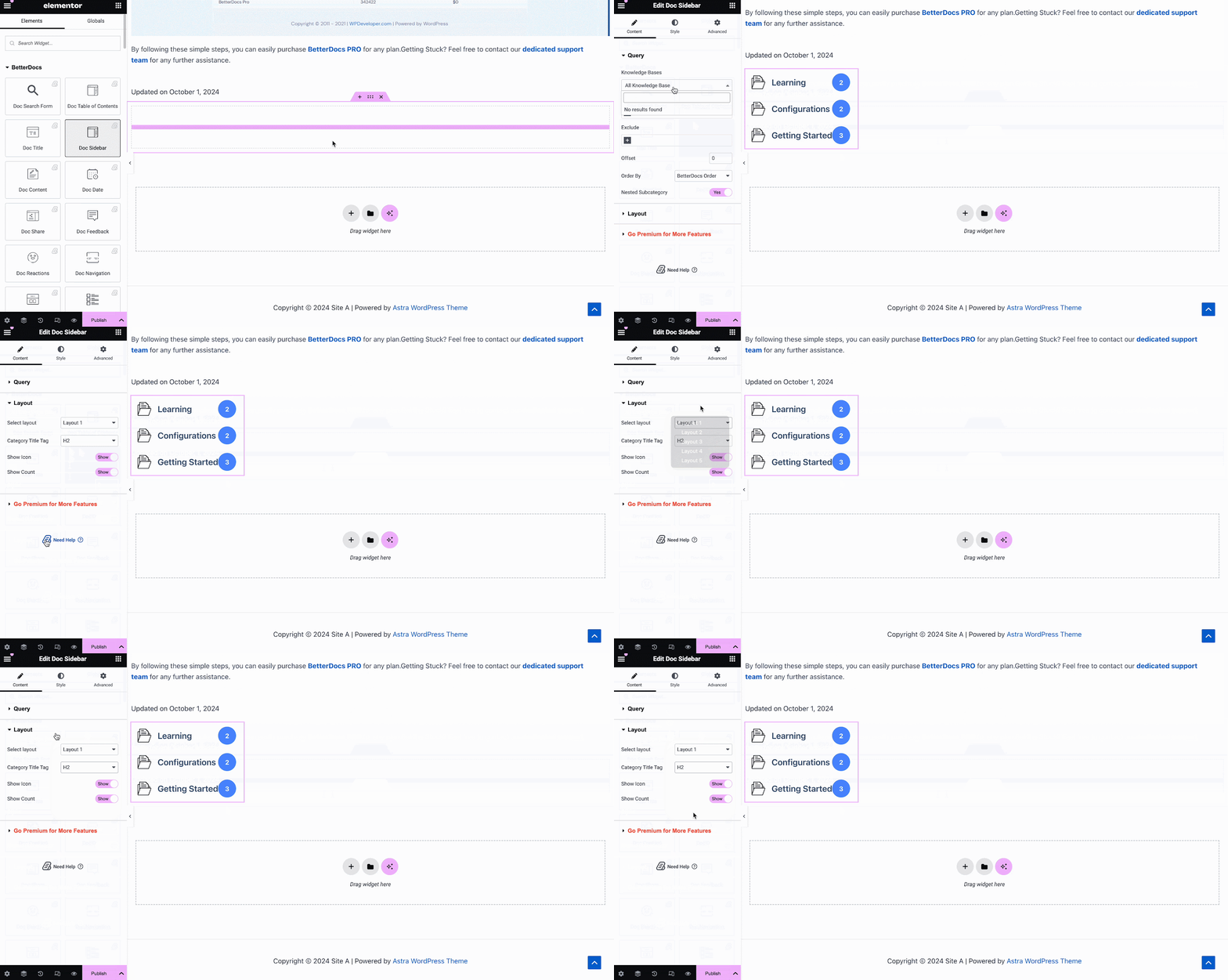
The Bara laterală Doc element vă permite să creați o bară laterală pentru Doc unic în Elementor care afișează toate celelalte articole și categorii de documentație pe care le-ați creat.
De la 'Conţinut' tab, you can choose the layout for your Doc Sidebar. Currently there are five layouts available, each with its own distinct style.
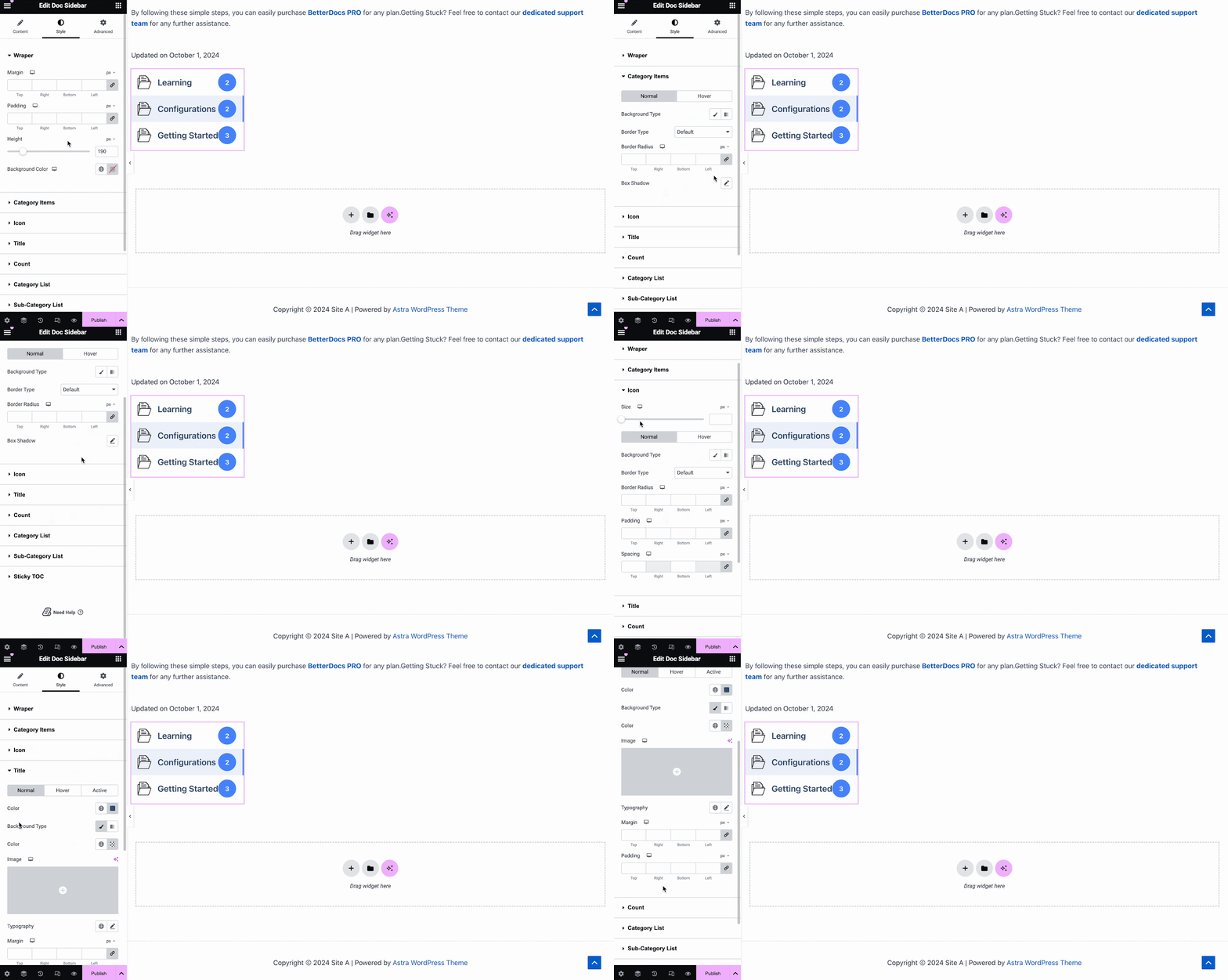
Sub 'Stil' tab, you will see several options, including Wrapper, Icon, Category Style, Title, Count, Category List, etc. with the options to customize margin, padding, color, typography and more for a more personalized look.
Reacții Doc #
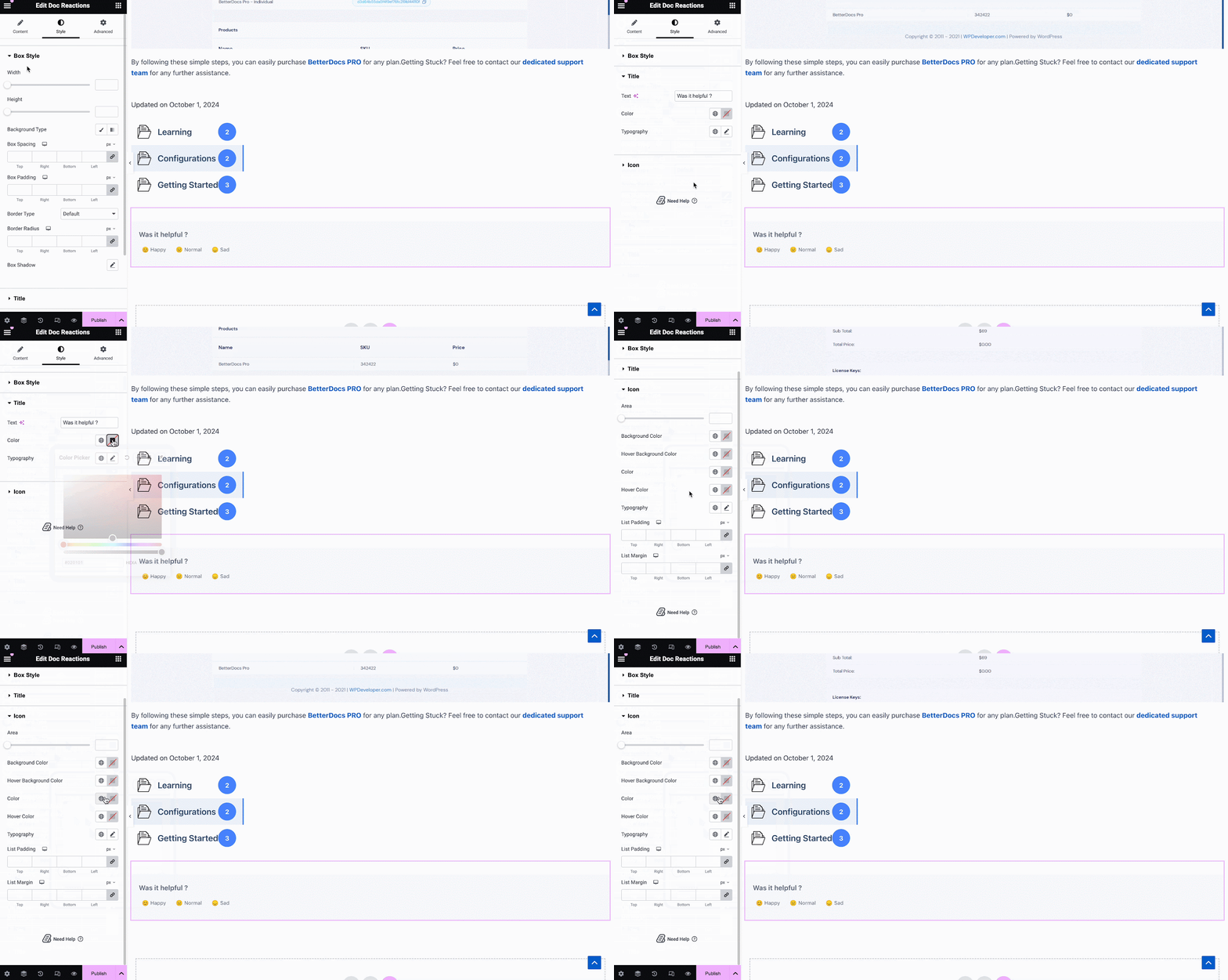
Cu BetterDocs Pro, puteți afla cât de utilă este documentația dvs. pentru vizitatorii site-ului cu ajutorul Reacții Doc element. There are three layouts to choose from on the Content tab.
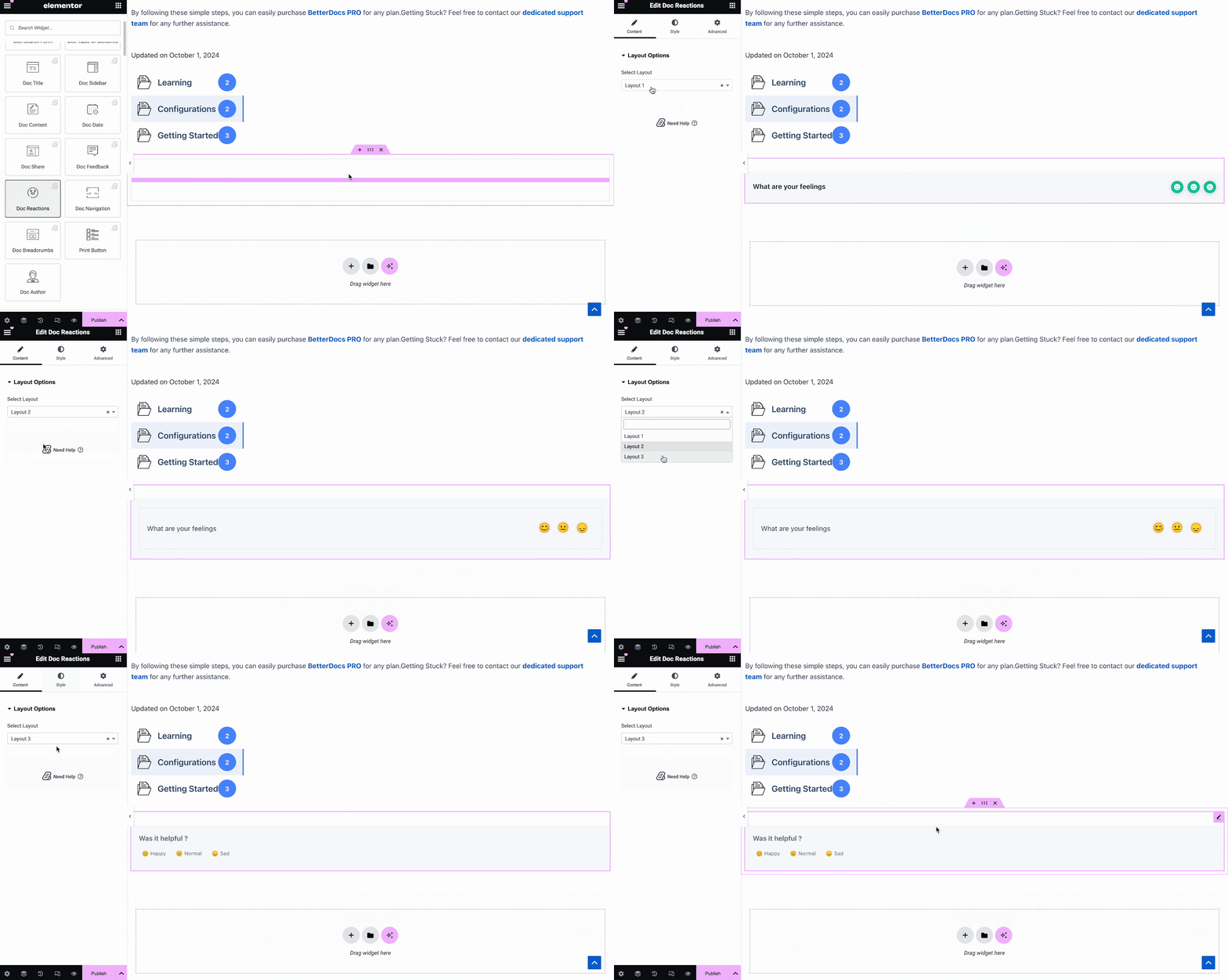
Sub 'Stil' tab, there are several options to adjust color, margin, padding, typography and more for Box Style, Title and Icon.
Doc Share #
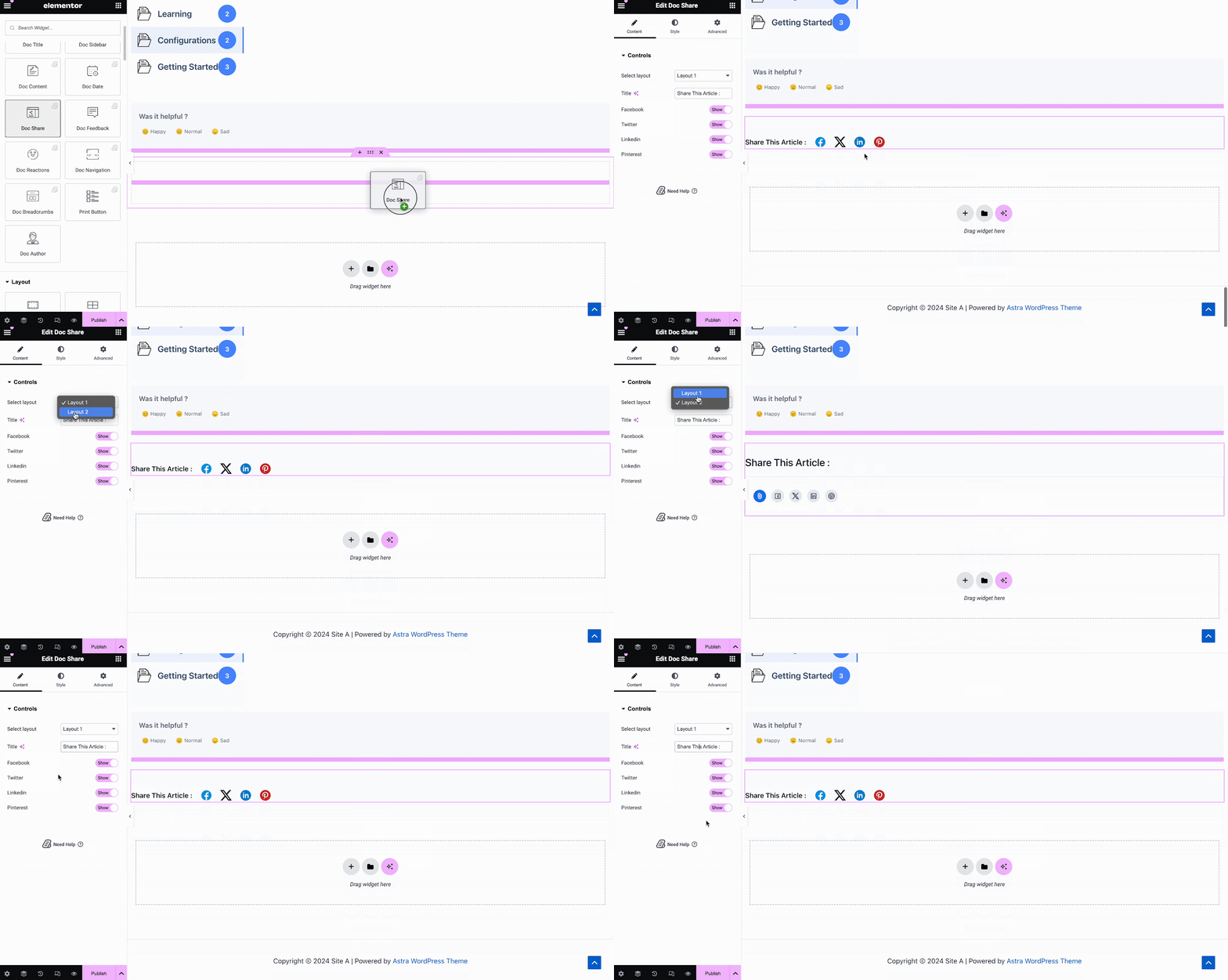
Doc Share element vă permite să permiteți partajarea socială pentru documentația dvs. Cu acest element, vizitatorii site-ului pot partaja documentația dvs. pe diferite platforme de socializare. Pur și simplu glisați și fixați elementul oriunde în dispozitivul dvs. Doc. Unic in Elementor to activate it. On the ‘Content’ tab, you will find two layouts, options to change titles and buttons for four popular social media.
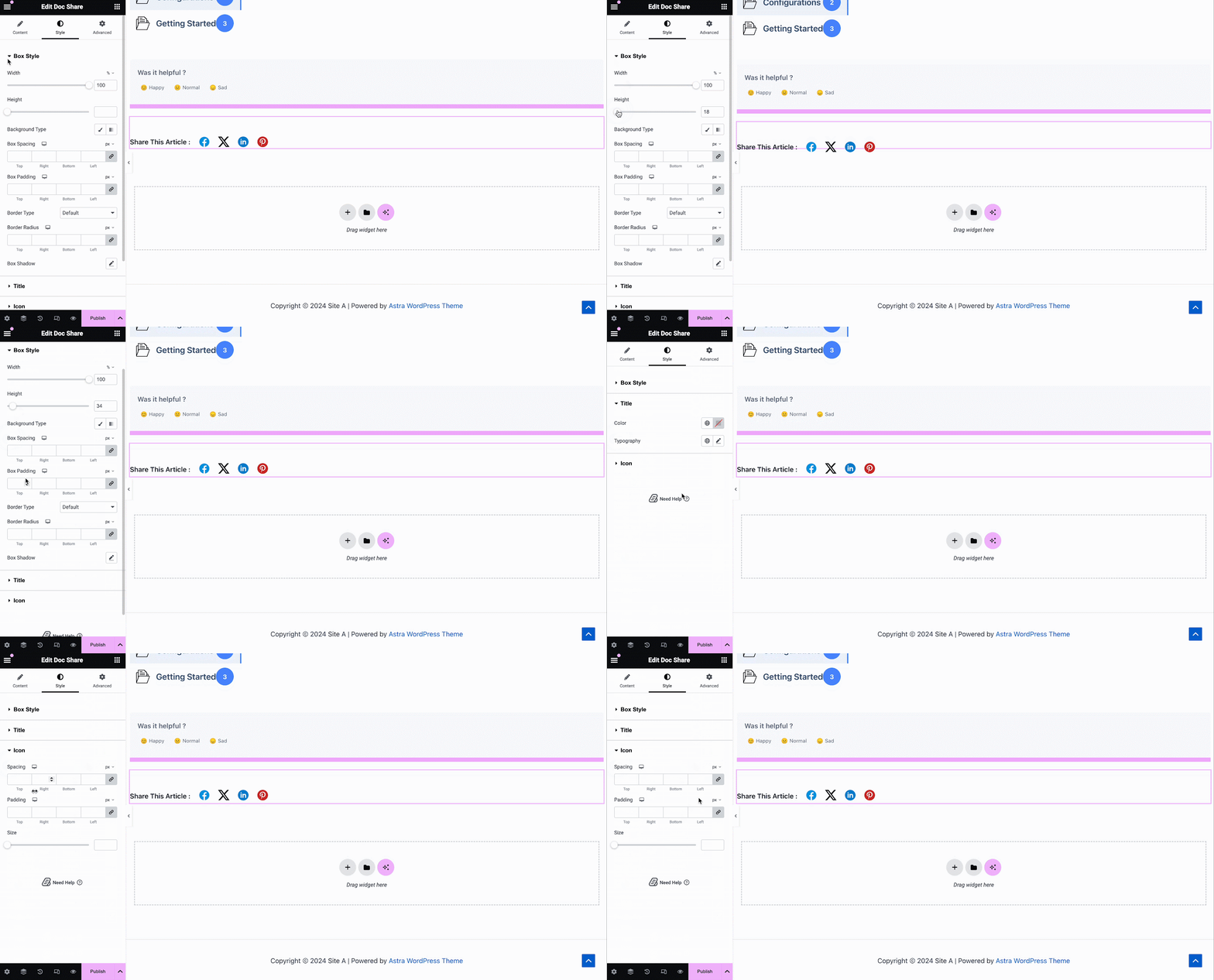
Sub 'Stil' filă veți vedea mai multe opțiuni pentru a personaliza fișierul Doc Share, Title, și Icon with margin, padding, color, typography, and more for more personalization.
Feedback Doc #
Feedback Doc element vă permite să adăugați un formular de feedback pentru vizitatorii site-ului dvs. pe care îl pot utiliza dacă doresc să vă contacteze pentru asistență suplimentară. Pentru a activa acest element, trageți-l și fixați-l oriunde pe dispozitivul dvs. Doc. Unic pagină.
Apoi, configurați conținutul fișierului Feedback Doc element de sub 'Conţinut' filă. Aici, din 'General' section, you can add your custom content feedback, button text, and icon image for the form.
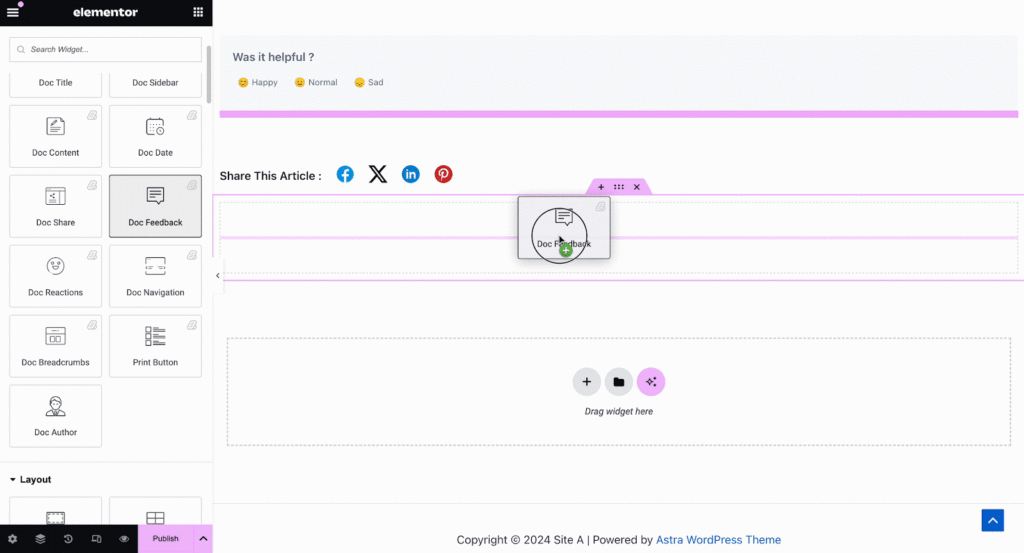
Under the ‘Style’ tab you will see several options to customize the Text, Icon, and Feedback Form with margin, padding, color, typography, and more for more personalization.
Navigare doc #
Cu Navigare doc element, puteți permite vizitatorilor site-ului să treacă rapid la următoarea documentație sau să revină la documentația anterioară. Pentru a activa acest element, trageți-l și fixați-l oriunde pe dispozitivul dvs. Doc unic în Elementor. On the Content tab, you will have two different layouts to choose from.
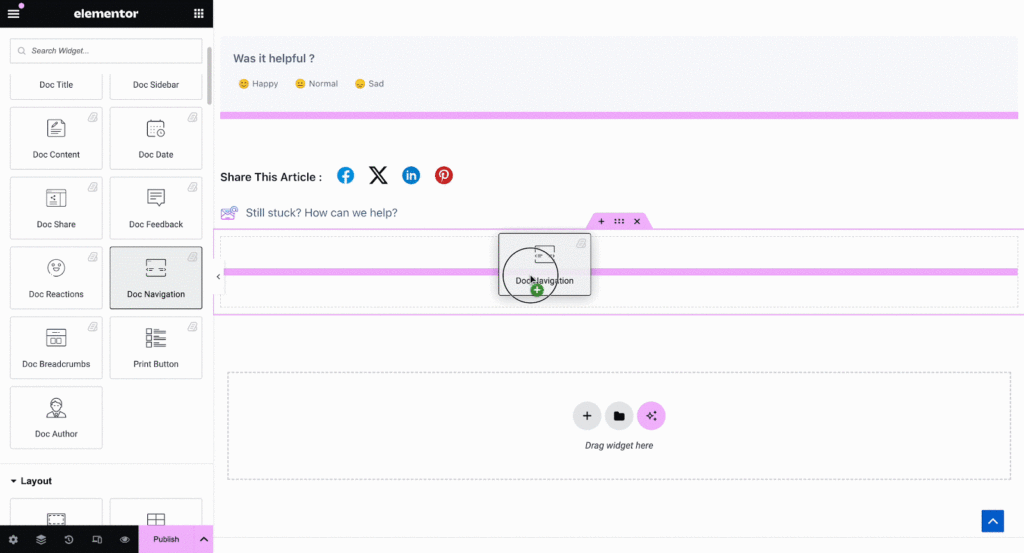
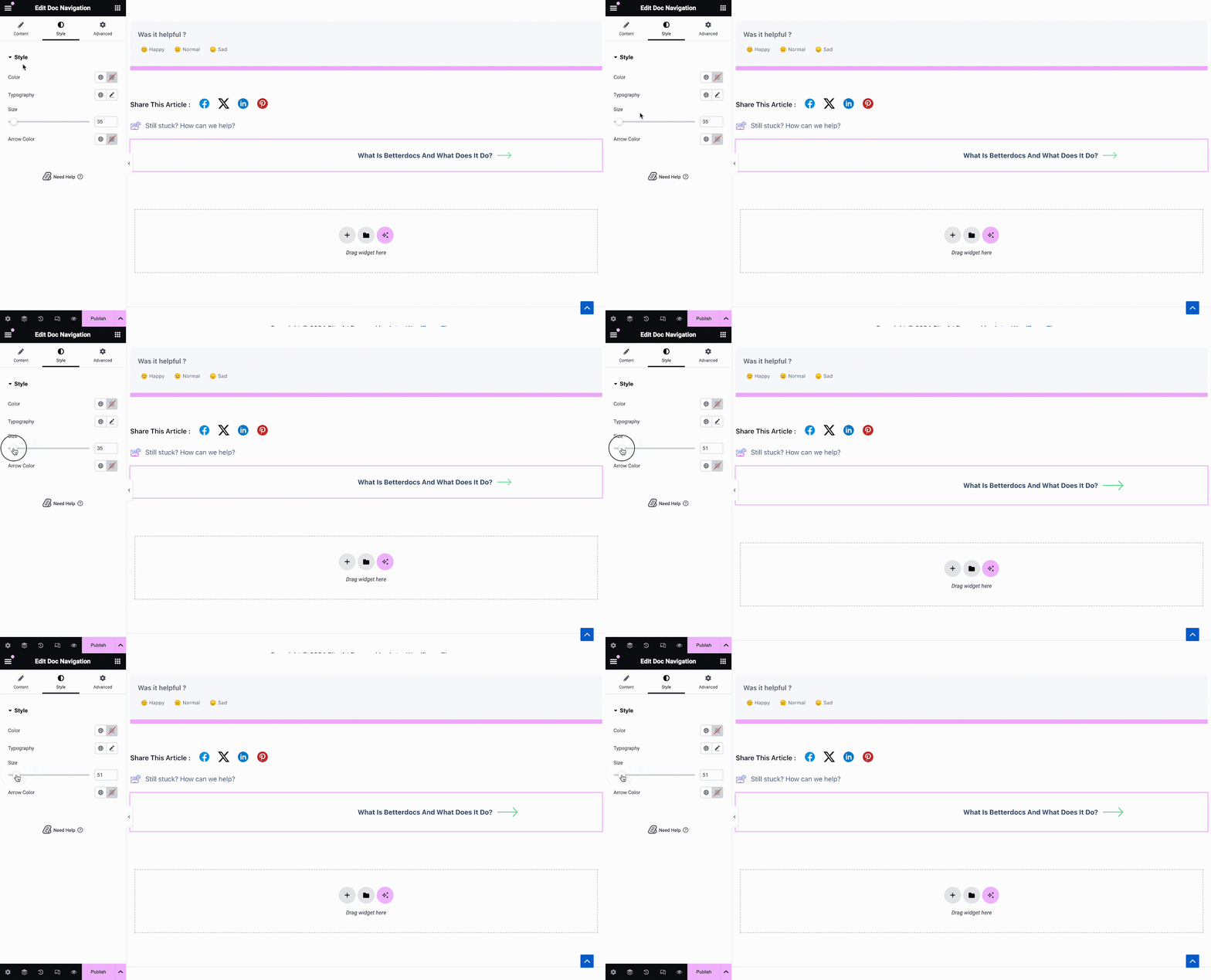
De la 'Stil' secțiunea puteți personaliza aspectul dvs. Navigare doc element prin schimbarea culorii, a tipografiei, precum și a dimensiunii și culorii săgeților.
Doc Breadcrumbs #
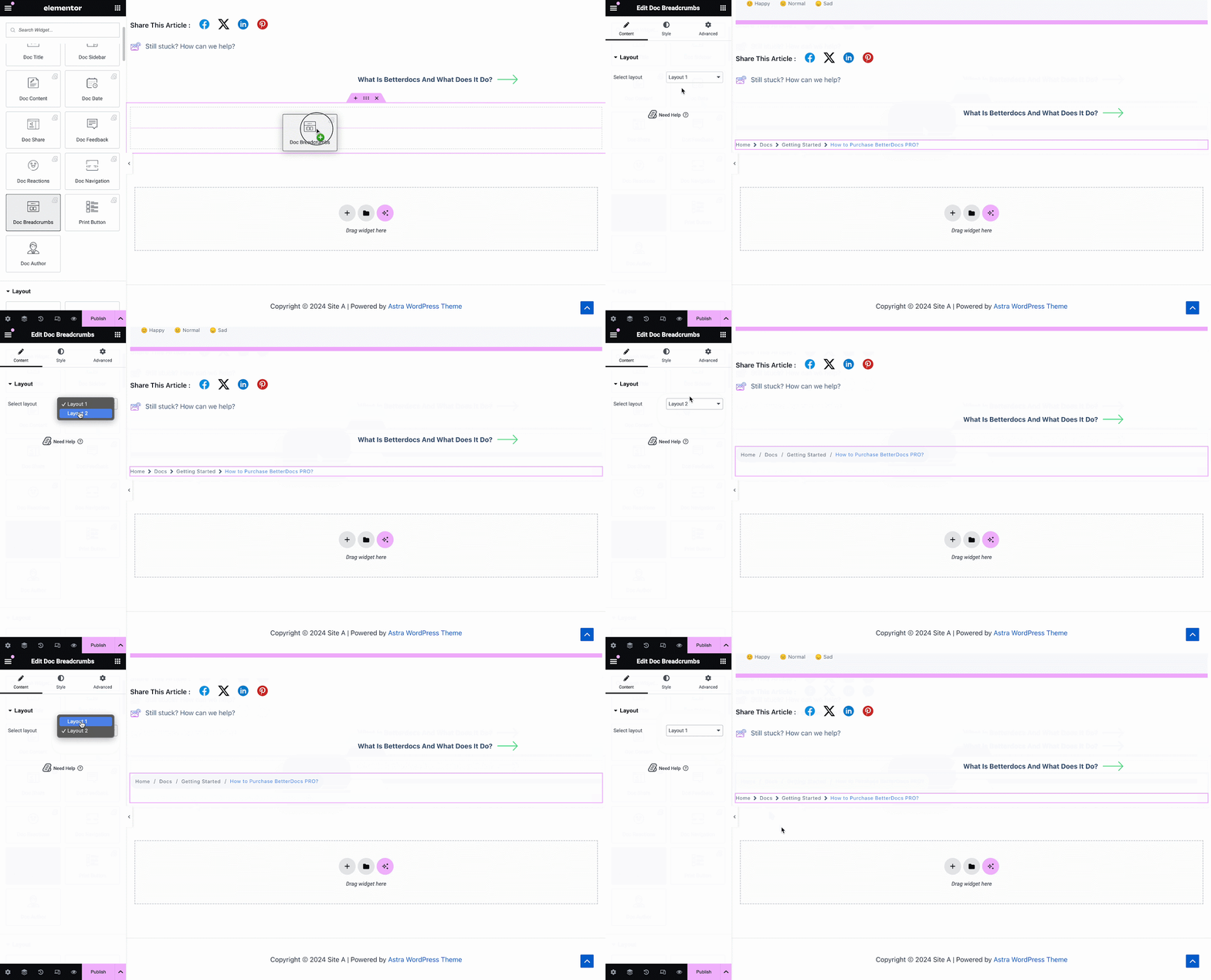
The Doc Breadcrumbs widget will let your visitors keep track of their current location while exploring docs. Simply drag and drop this widget and you will find two layouts on the General tab.
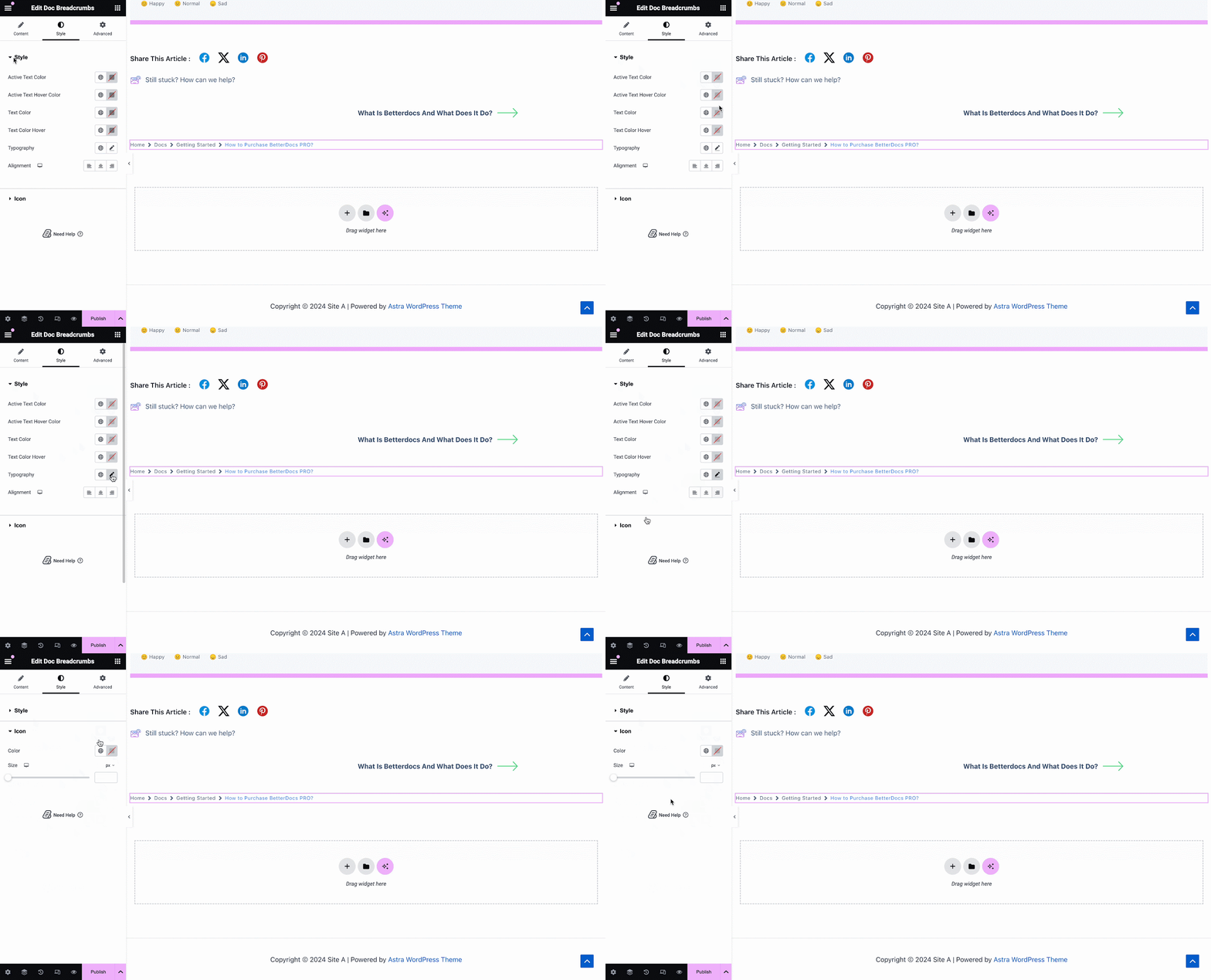
On the Style tab, you can customize the margin, padding, typography, and colors for Style și Icon.
Print Button #
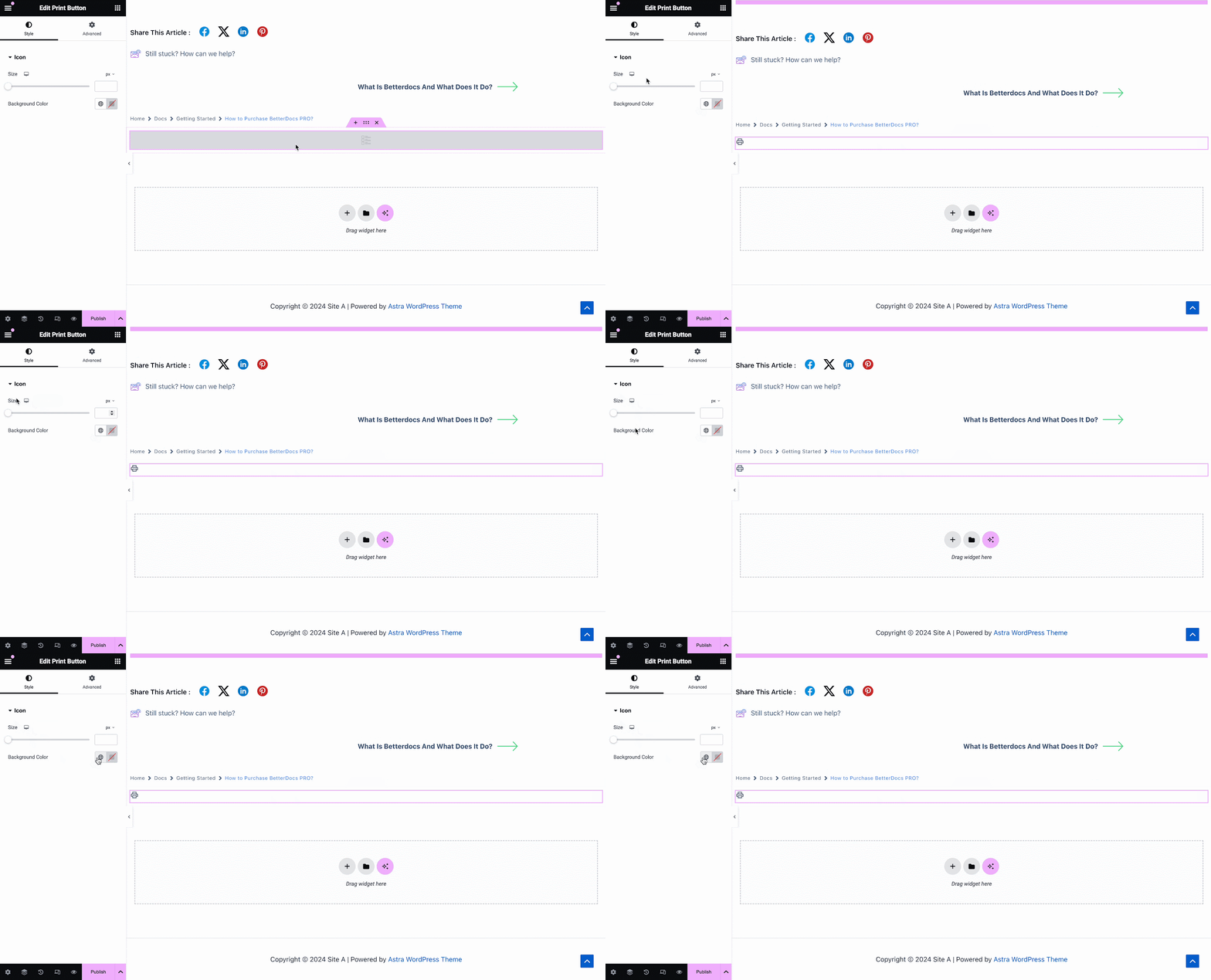
The Print Button widget lets you print your doc with a single click. Once you add the widget, you will have options to change icon size and adjust colors.
Pasul 3: setați condițiile și publicați un șablon de pagină pentru documente unice #
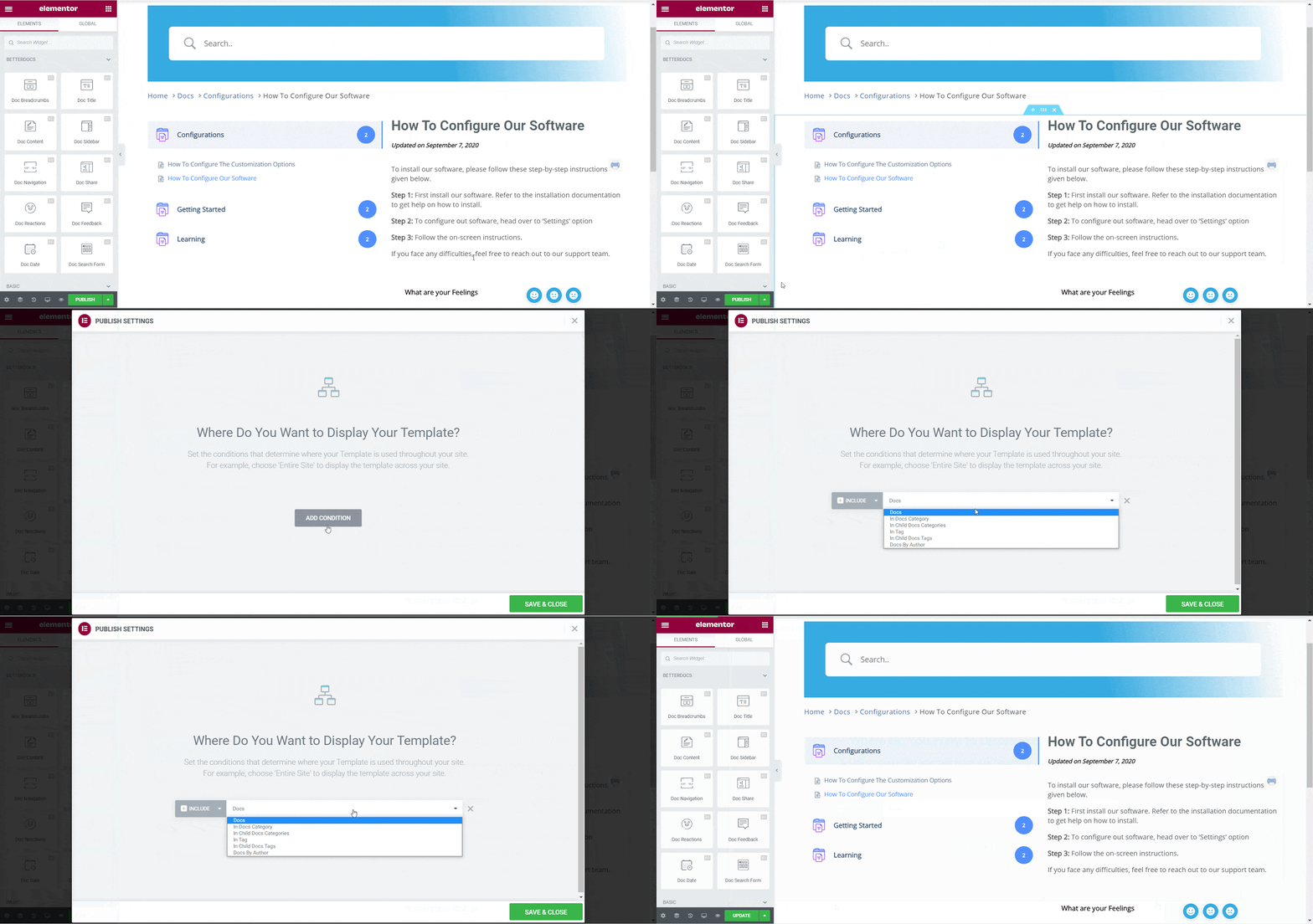
După ce pașii de mai sus au fost finalizați cu succes, puteți publica fișierul Doc. Unic șablon de pagină pe care l-ați proiectat în Elementor. Pur și simplu faceți clic pe 'Publica' button and a popup will appear asking you to set conditions. This step is optional and it lets you decide the conditions under which your Single Doc page will be available to site visitors.
Apoi, faceți clic pe „Salvați și închideți”. Șablonul dvs. de pagină Doc unic este acum salvat în Elementor și poate fi reutilizat din nou pentru alte pagini de documentare unică.
Rezultat final #
Urmând acești pași de bază vă puteți crea propriul personalizat Doc unic în Elementor și chiar le refolosesc din nou instantaneu.
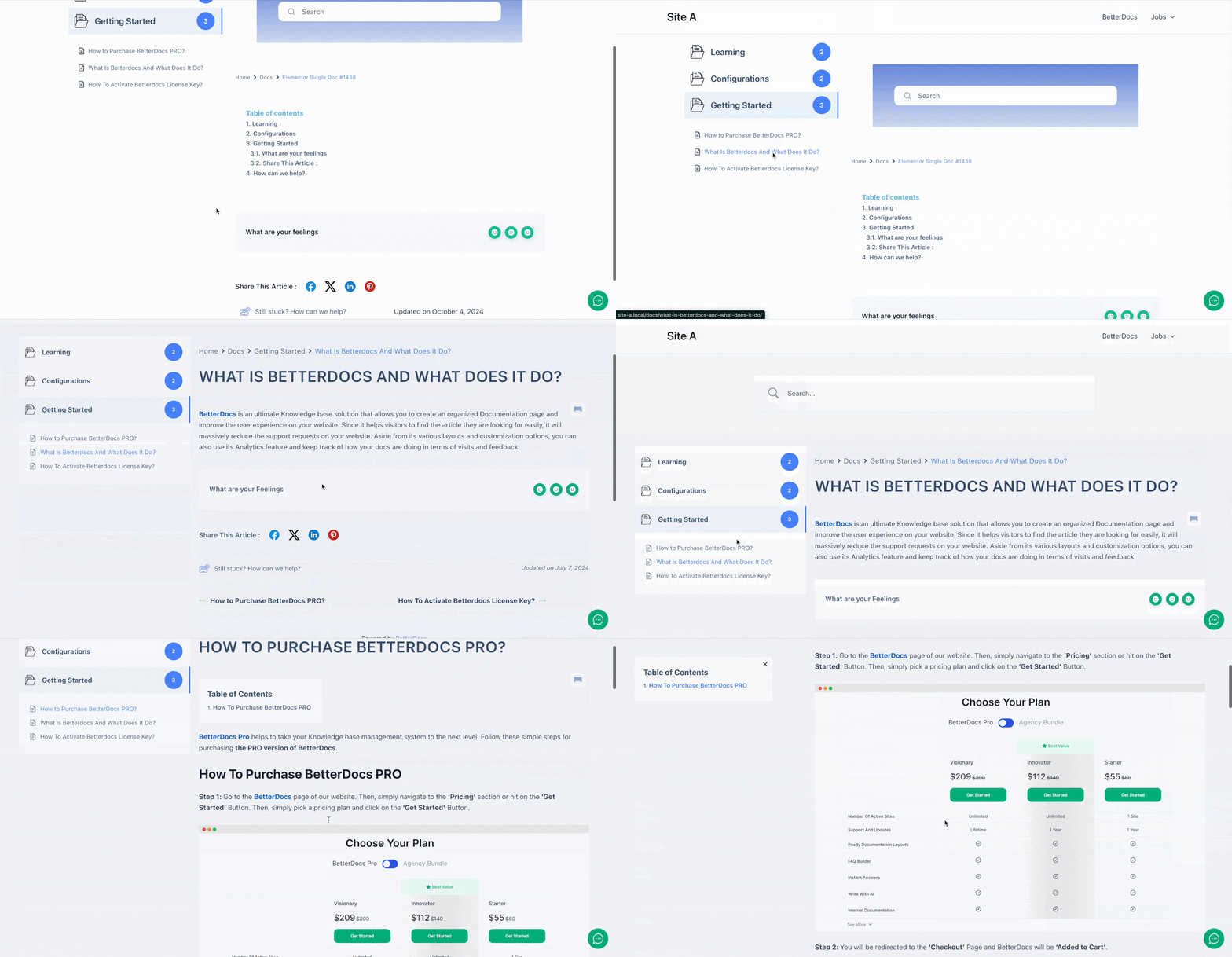
Cu ajutorul BetterDocs, iată cum puteți crea șabloane uimitoare pentru documente unice cu Elementor și să vă urați cititorii de site-uri.
A rămâne blocat? Nu ezitați să ne contactați echipa de suport.


